System Design
After the successfull Completion of Introduction and Requirement Analysis, we have now moved here to System Design. In this Blog, we will see about Interaction Diagram, Class Diagram, Design Pattern, Development strategy and Summary.
Agenda
- Interaction Diagram
- Class Diagram
- Design Pattern
- Developmanet strategy &
INTERACTION DIAGRAM
The Interaction diagram is used to describe some types of interaction among the different elements in the model. This interaction is a part of dynamic behaviour of the system. The interactive behaviour is represented in UML by two diagrams known as Sequence diagram and Collaboration diagram
Login Activity
The application user will enter their login credentials, it will be an 4-digit numerical pin number. The application will recieve it and checks for the valid or not operation with Database. Invalid user cannot procede further, Valid user can access their data, Incase of lost credentials the user can answer their security question or by mail and can retrive the password.

Planning Activity
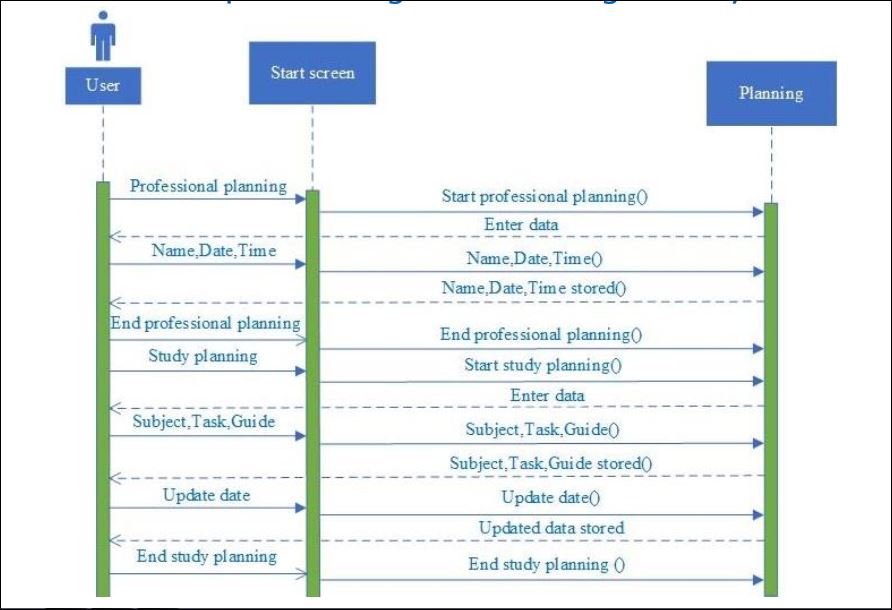
In planning Activity, A user will perform all his/her activity management by assigning the tasks along with the task name, date, time, task, subject, guide and update actions. The detailed sequence diagram is shown below as follows.
CLASS DIAGRAM
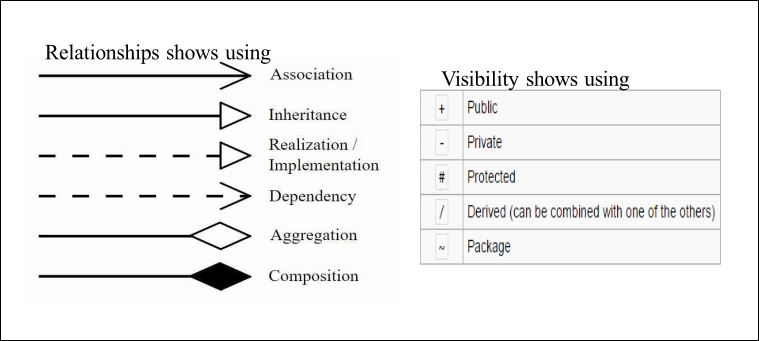
It describes the attributes and operations of a class and also the relationship among the objects.

DESIGN PATTERN
SINGLETON: This pattern involves a single class which is responsible to create an object while making sure that only single object gets created.

OBSERVER: As it shows one-to-many dependency, in our application one user can have multiple planning categories.
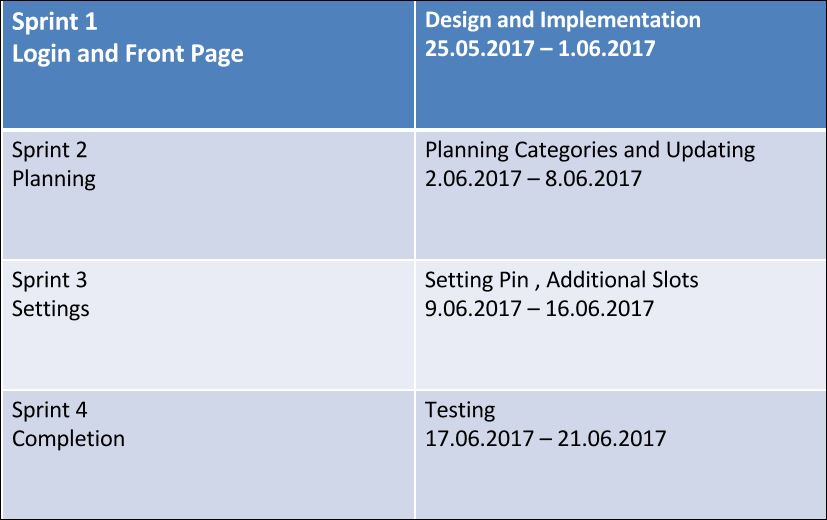
DEVELOPMENT STRATEGY
MONITOR ACTIVITIES
Monitoring activities will be done by assigning tasks in Zenhub.
SUMMARY OF CHANGES
Authenticating user by username and password was replaced by 4-digit Pin.
COMING UP
In our next blog we will describe about Implementation and UI Design.
Presentation by: Shyam Sundar V