There has been quite some time since the last blog post, at this time we have started the implementation, and that means code. We have created the ui, at least in theory and now we are in the proccess of making come true
However, how we should write code?
It is important to realize that writing in code as part of a team requires quite some cooperation and to agree on some standards. Therefore we decided to adopt the naming standards of Javasoft.
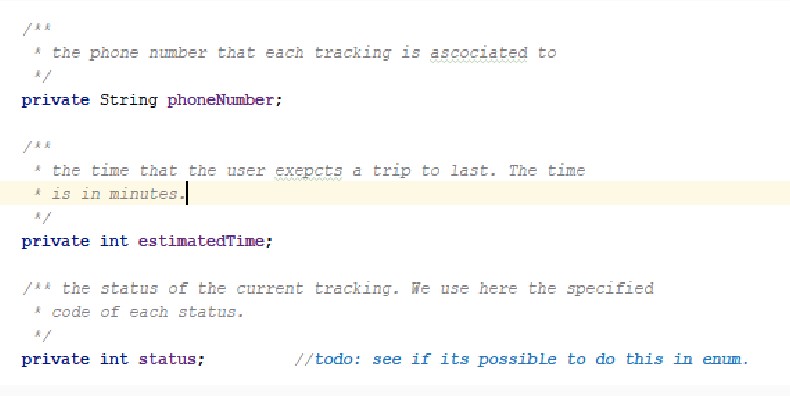
Naming is very important, because code is being read more times than it is written, therefore it is meant to be easy to read and to understand. Therefore we use descriptive names in the variables and our functions, a sample code fragment from one of our class is the bellow, we put much care for our variable to make sense and be easy to read.
Who will be using our application.
Besides the coding part, in order to design the application’s UI we had to go into a small search regarding who will be using the application. We came up with 2 main categories, and we mainily going to present why the application might be important from their point of view.
Students and young people
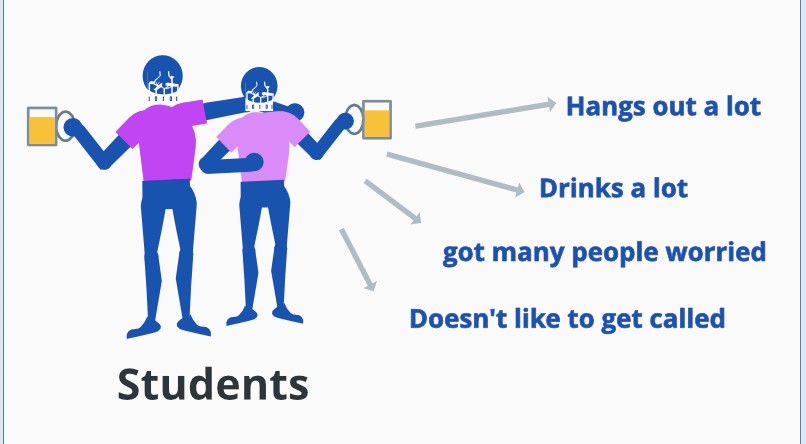
Students may be leaving away of their parents, they are also not very eager to get phone calls all the time about where they are, therefore an application like tripalert might help them keeping their close persons from being worried.
Parents
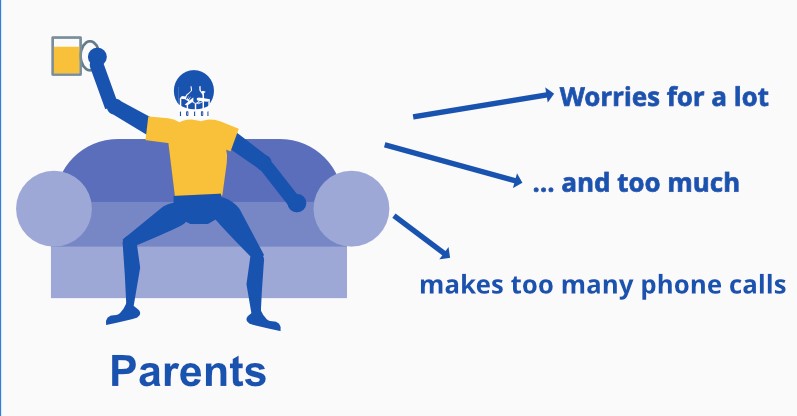
As it is might be infered from the previous persona the other one will be parents.
parents tend to care a lot about their children leading them to making continuous calls that are annoying most of the time. Therefore Tripalert will help them beeing updated about the safety of their kid whithout bothering it with phone calls at times that they shouldn’t.
Design
We have mocked up all of the screens that may pop up or appear in the application, but we would like to focus on some specific user stories:
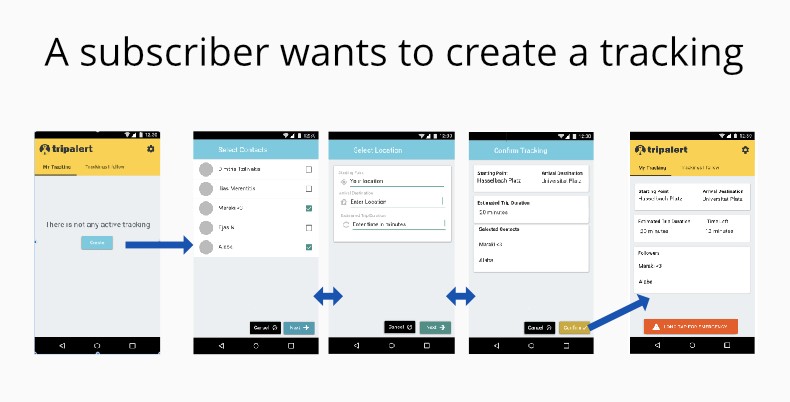
As it is obvious in the design we took into consideration the fact that a publisher might be a follower at the same time. So we splitted the main home screen into two tabs that the user could swip from one to another. In the “my tracking” tab if there is no tracking right now, a button is displaying to prompt the user to create one.
After this the user is taken through some steps in order to create the tracking. It is important to notice we choose another color for those screens in order to differiate them. Also in case of the user press cancel the operation is cancelled. Because its destructive action the button is in black.
Lastly the user is taken back to the main screen where he can see his tracking.
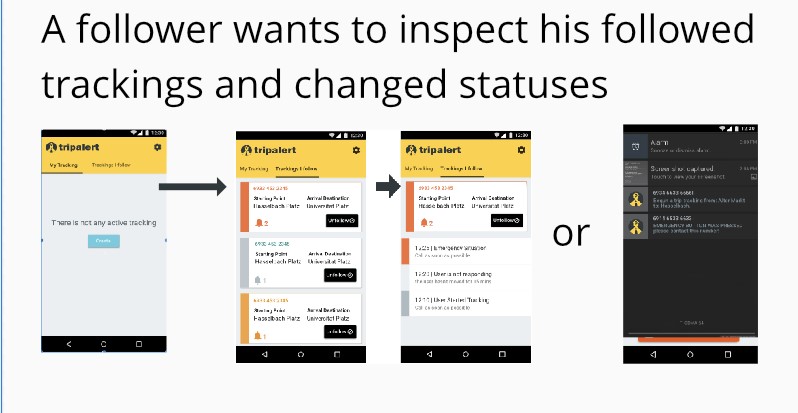
Here a user takes over the follower’s role and wants to see the statuses of his followed trackings, which lie in the second tab of the homescreen.
It is important to notice that the trackings are highlighted differently, and this is because they are in a different status. For example grey is used for a tracking that is in an “ongoing” status, red for “emergency” and yellow for “not responding” or “delayed” status.
The user can easily click into a tracking and inspect its situtation log with some more details.
Lastly if there is a change into the status a notification is going to be displayed inside the action bar.
Changes that happened.
Actually we have redefined quite a lot parts of the application, the most important is the one on the classes. We decided we need to store somewhere the trackings so we want to implement a MVVC pattern using the library Room to handle SQLlite, the library LiveData and android’s ViewModel architecture pattern. Since we are currently working on that, we do not have something to present, but this will definetely happen in the next blog post.