Implementation is almost over, or it will be soon, so we need to start testing what we have made so far. We definetely had quite a lot problems with our testing proccess.
At first we tried to create unit testings, so that we could automatically monitor the behaviour of our modules. This sounded extremely tempting in the beginning, but it turned into a hellish nightmare later, we found out that the way we wrote some parts of the application, was not the most ideal to unit test and it would require a lot of refactoring, which we simply didn’t have the time to do. What is more the setting up of unit tests was quite troublesome itself.
As a result we ended up splitting the application into parts. Each part was a independent smaller application that aimed to solve one particular task from the main requirements, as a result testing was way easier, and it also helped us familiarize with some external libraries or API.
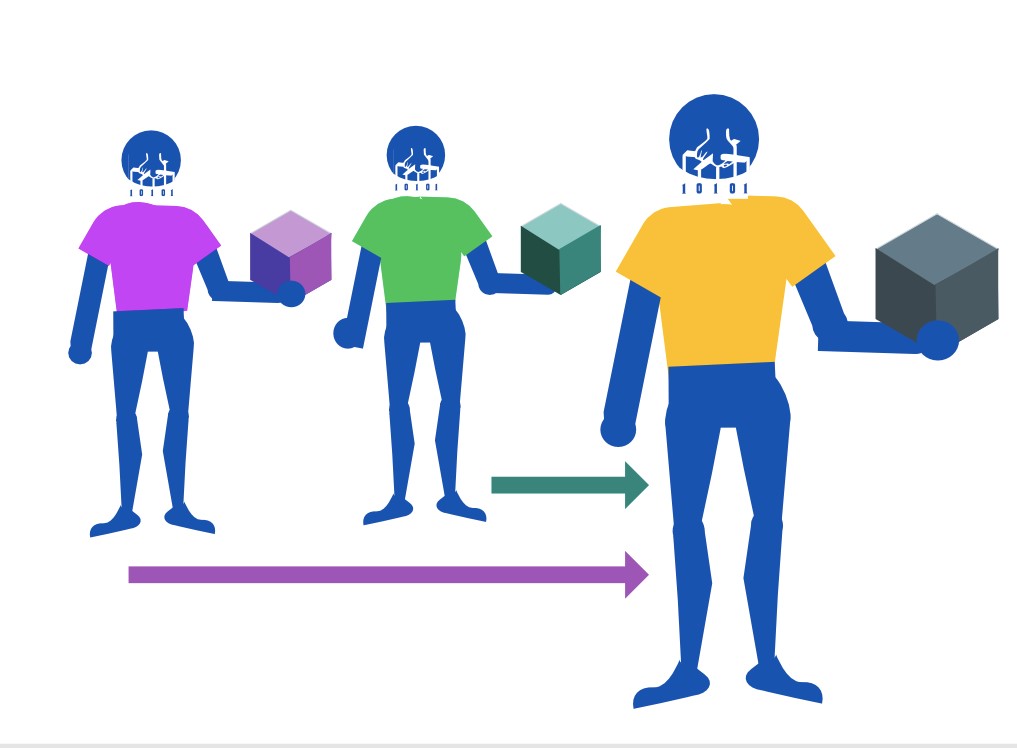
By manually testing the inputs and the outputs of the smaller apps we knew what to expect, and therefore we adjust the main app accordingly. What we achieved was that by the time we merged the logic of the smaller apps into the main app, the final result required minimum testing cause the crucial parts had been already tested individually. This led to some very good results, although we sacrifised some extra time to actually merge our applications.
That was the main way we actually worked, and we are still working. Some diagrams of how we were thinking about testing will follow. We didn’t document every testing that way because some parts of the testing were done manually.
Black Box Testing:
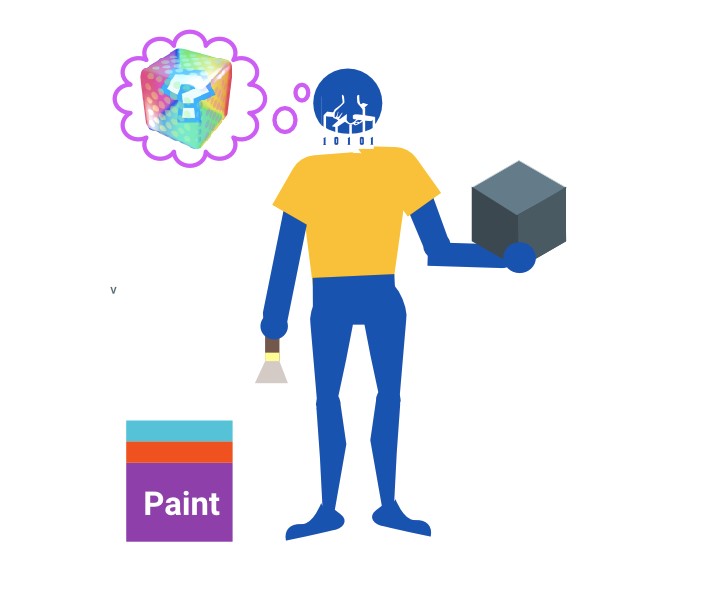
This had already partially done when we were creating our user stories and ui mockups. Our detailed way of creating the screens helped to have a good idea how they will look like and what the user should expect from every screen.
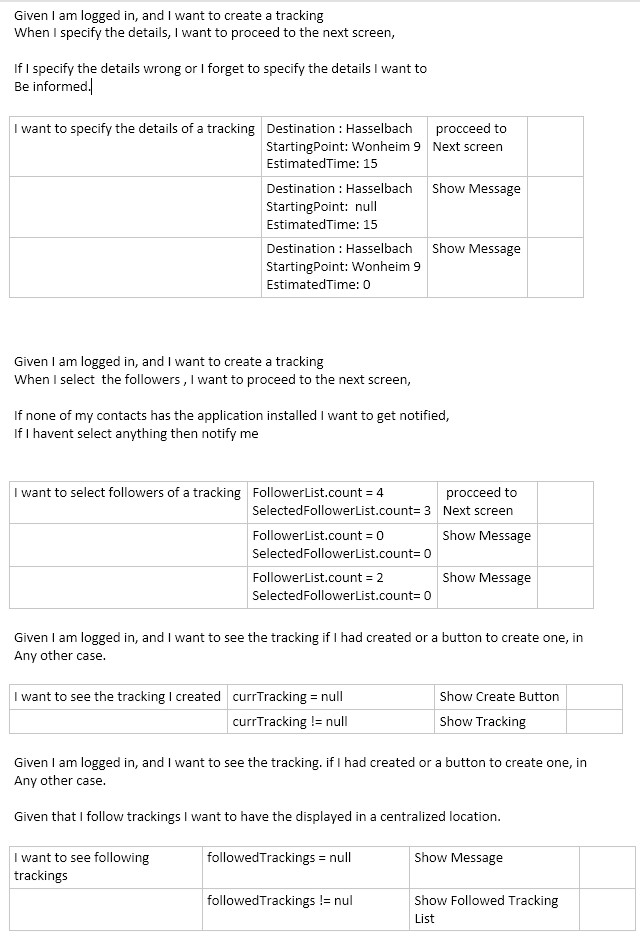
White Box Testing:
As we mentioned the testing here were also done manually, and we wil continue to do so, cause there is no time to set up an automatic proccess so by having our “specifications” of each module, every time we changed something important affecting it we just manually run some different scenarios to see if everything were running as they should be.
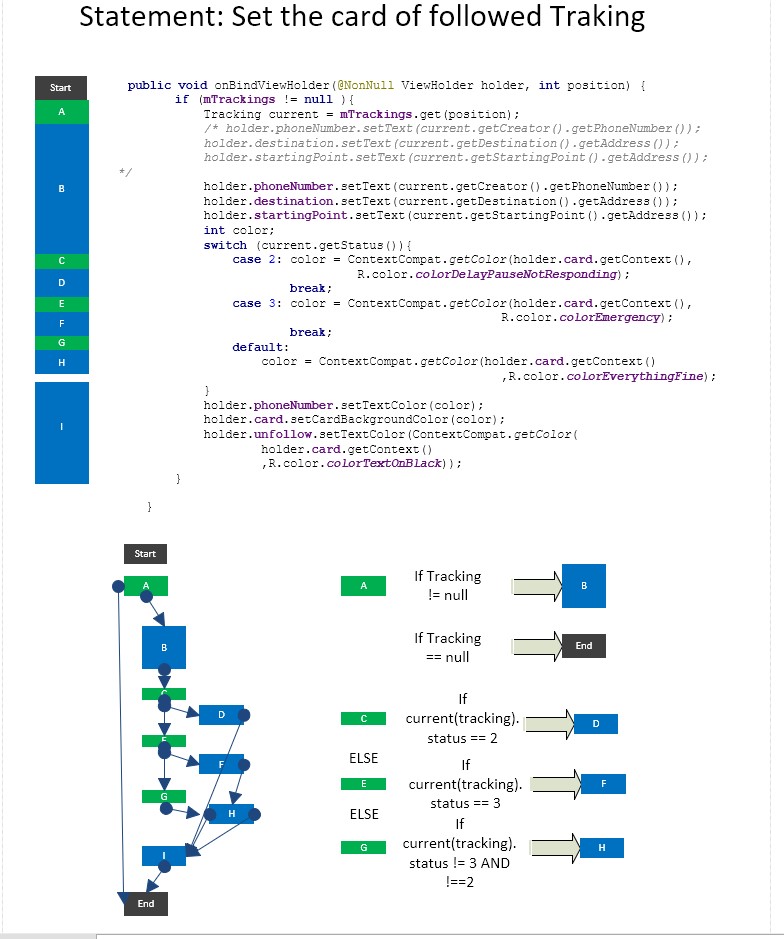
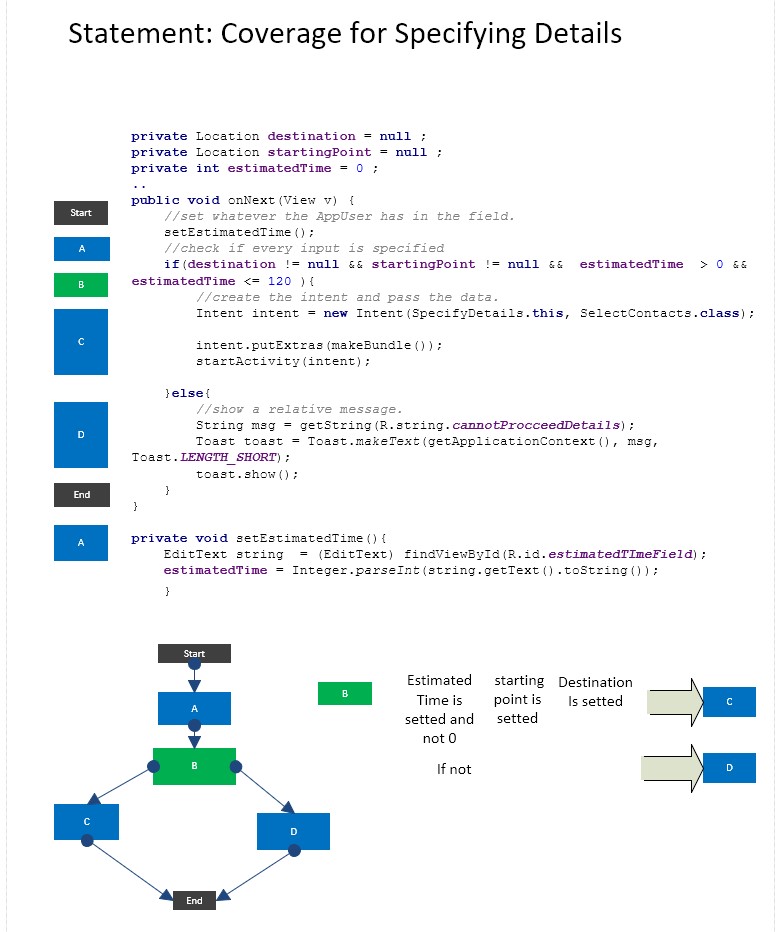
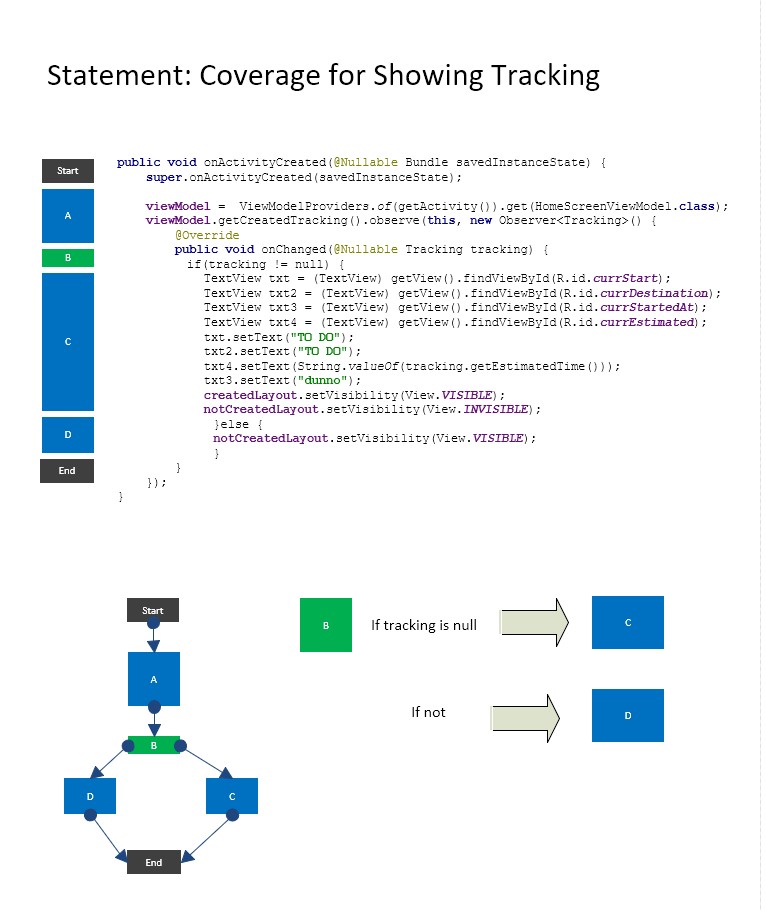
Some important changes.
We were sad to actually find out that the way we have envisioned the app, which was by having a local database and sync it by push notification was extremely unstable. Therefore we completely discarded this idea, and now we are trying to implement the database which directly on the Firebase cloud.
The good news are that we found some amazing widgets made by Google to pick a location that includes an actual map with drag and drop, and a autocomplete search for places.