SYSTEM DESIGN
Welcome to our third blog, hope you enjoyed our previous two blogs. Over the past few weeks we have been working on our Next Phase Which is
System Design. Based on the user stories which we have shown in our Requirement Analysis, we have come up with the following Interaction
Diagrams and Class Diagrams which would help you all understand our project in a better way. We shall be discussing about the Development
strategies as well.
Interaction Diagrams:
The purpose of the Interaction Diagram is
- To capture the dynamic behaviour of the system
- To describe the message flow in the system
- To describe the structural organization of the objects
- To describe the interaction among objects
Keeping all the above points into consideration, we have come up with the below Sequence Diagrams for the user stories.
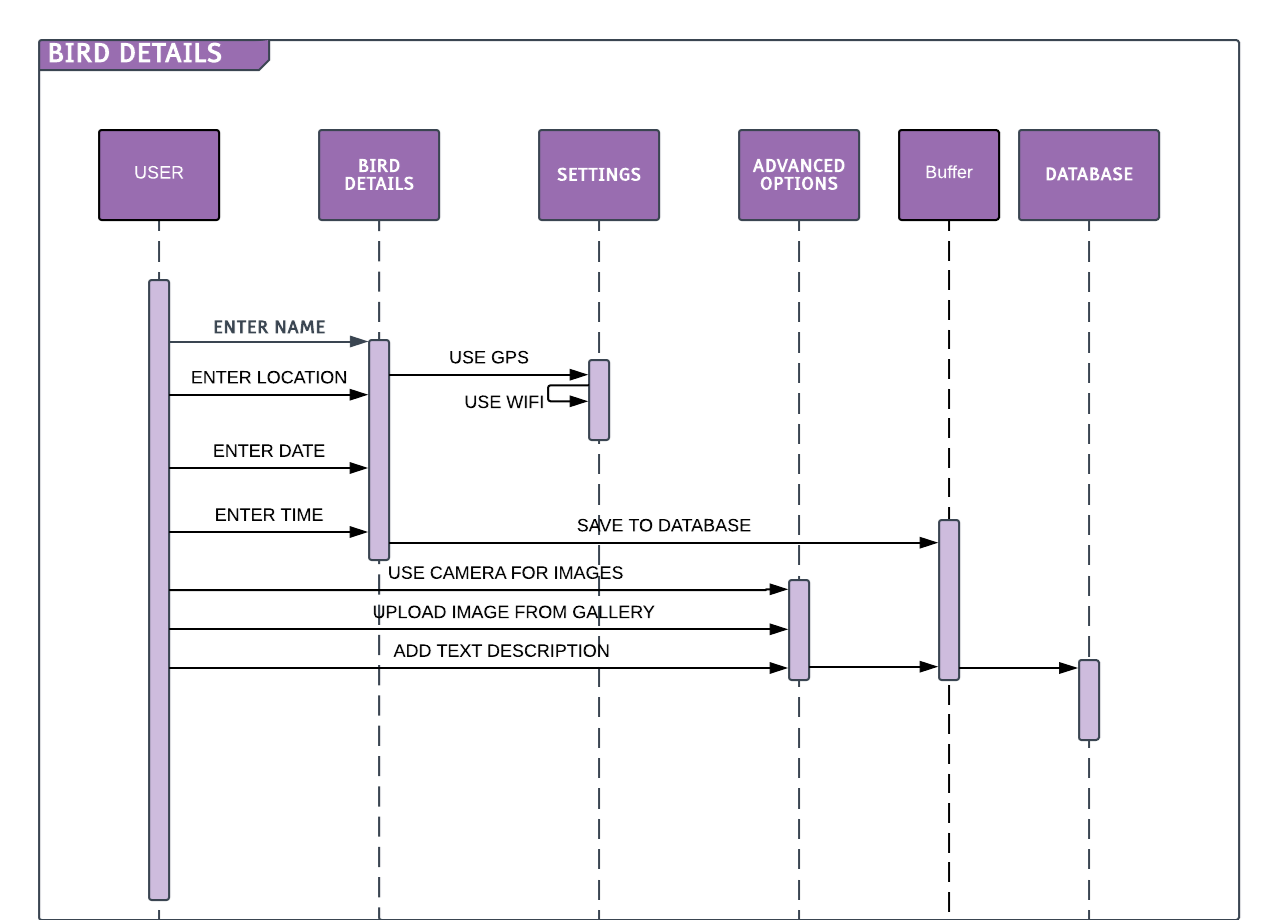
Sequence Diagram for Bird Tracking:
Following diagram shows the sequence diagram for Bird Tracking. The user opens the App and the Main page is displayed. Bird Details,View
Data and Settings is available as part of the menu button. When the user clicks Bird Details, it will navigate to Bird Details Activity
page. In this page we will add the details of the Bird. In the Settings Activity page we have provided the user with “Wi-Fi On and Off”
and GPS On and Off. The following sequence diagram shows all the corresponding user actions and the respective methods that are being
invoked during this period.
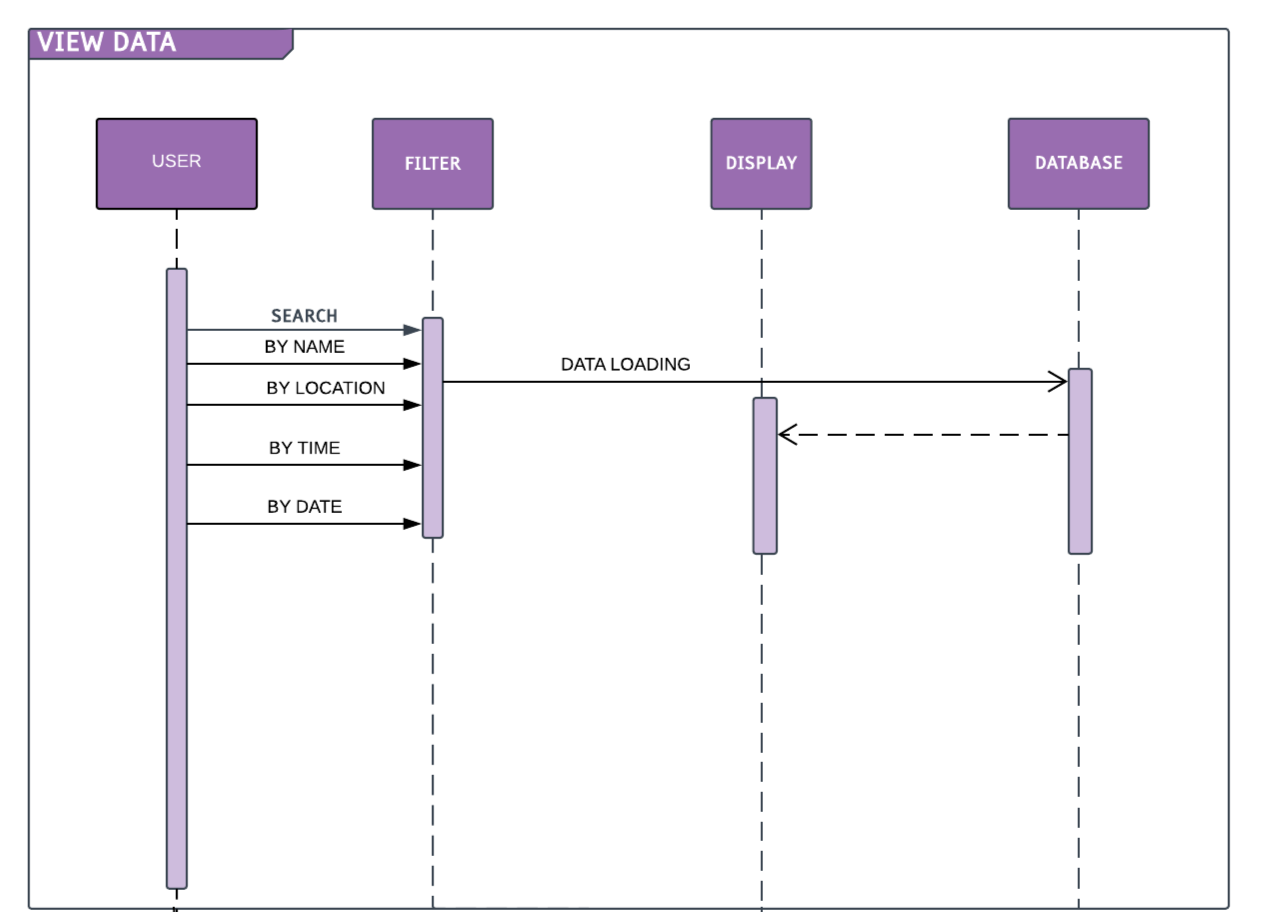
Sequence Diagram for View data/Bird Searching:
The Following diagram Sequence Diagram shows how we can view our saved data by using the different filtering options.
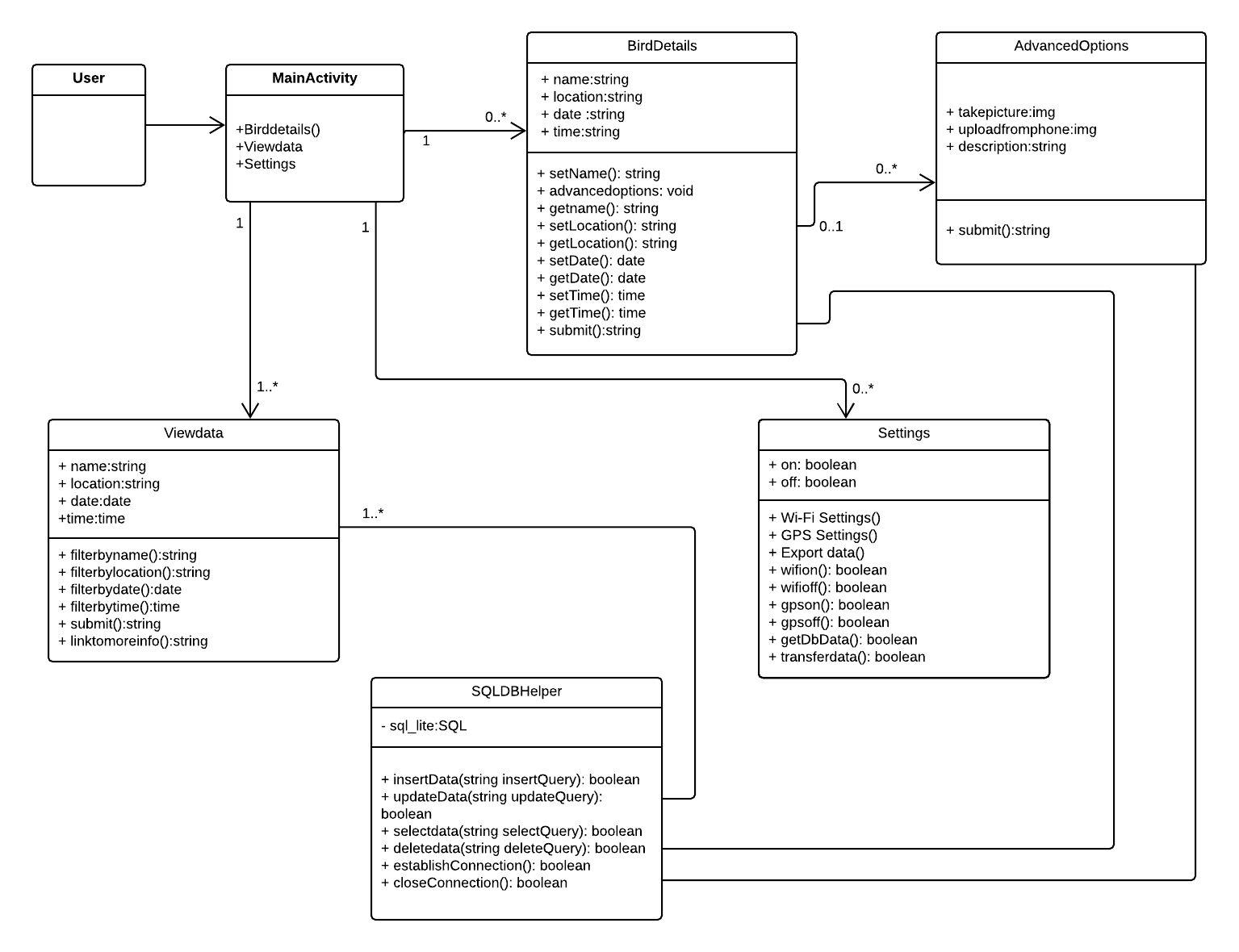
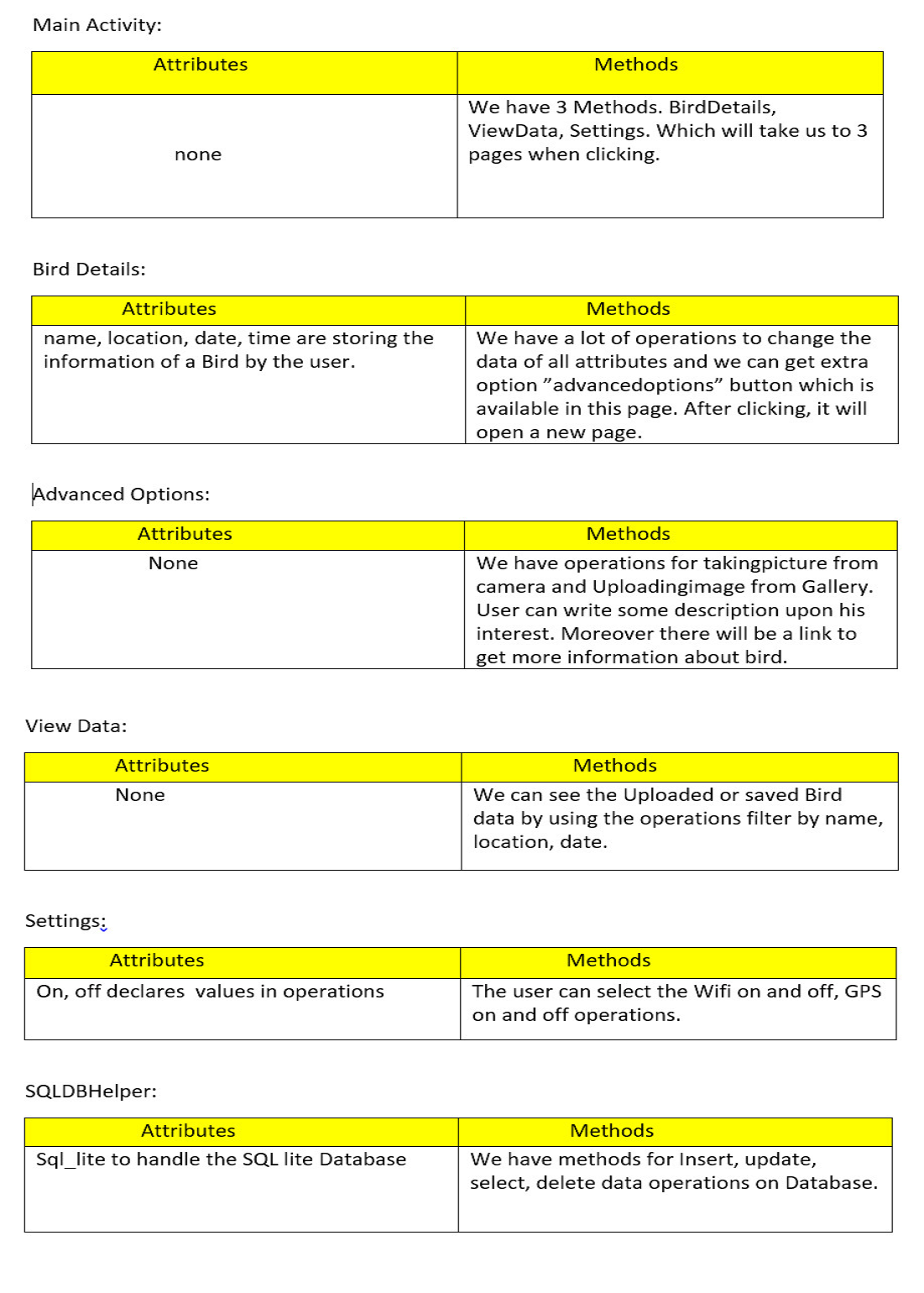
Class Diagram:
Design Pattern:
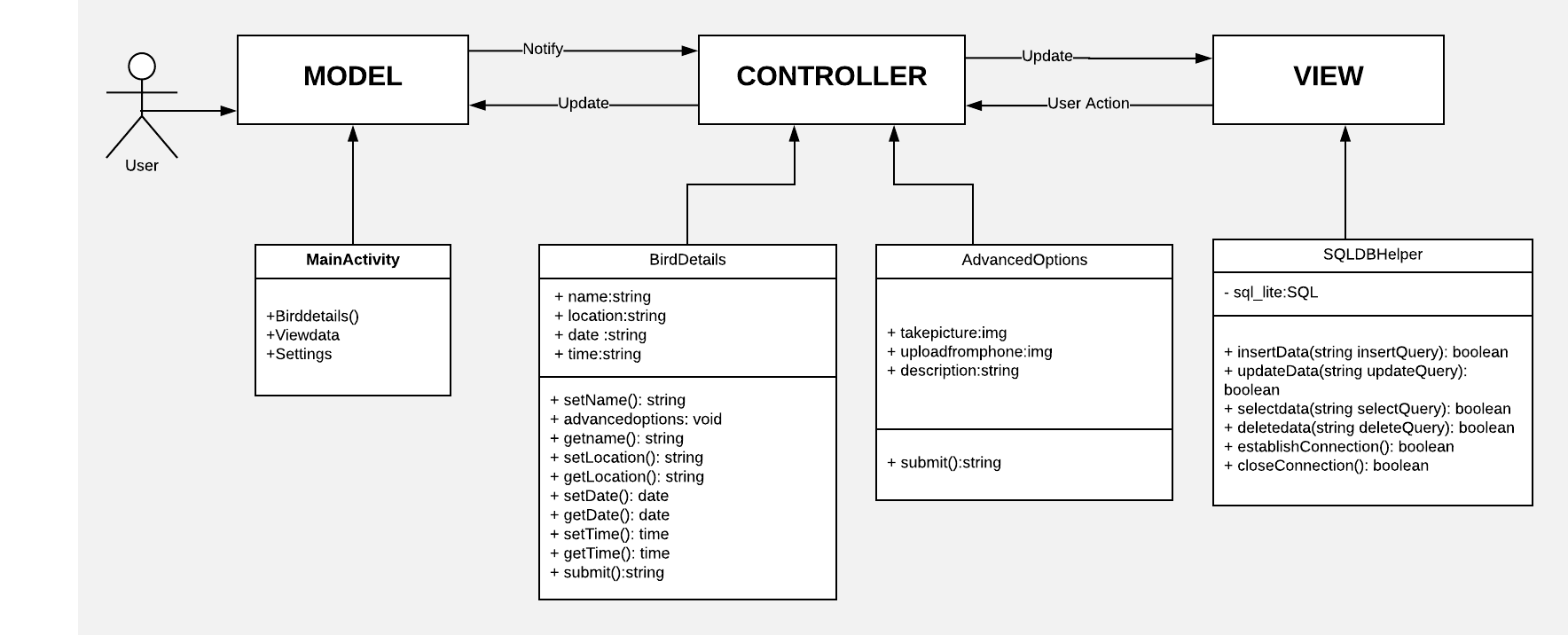
We are using Model View Controller (MVC) to seperate application’s concerns. The following diagram describes how we divided our classes into Model,View and Controller.
Development Strategy:
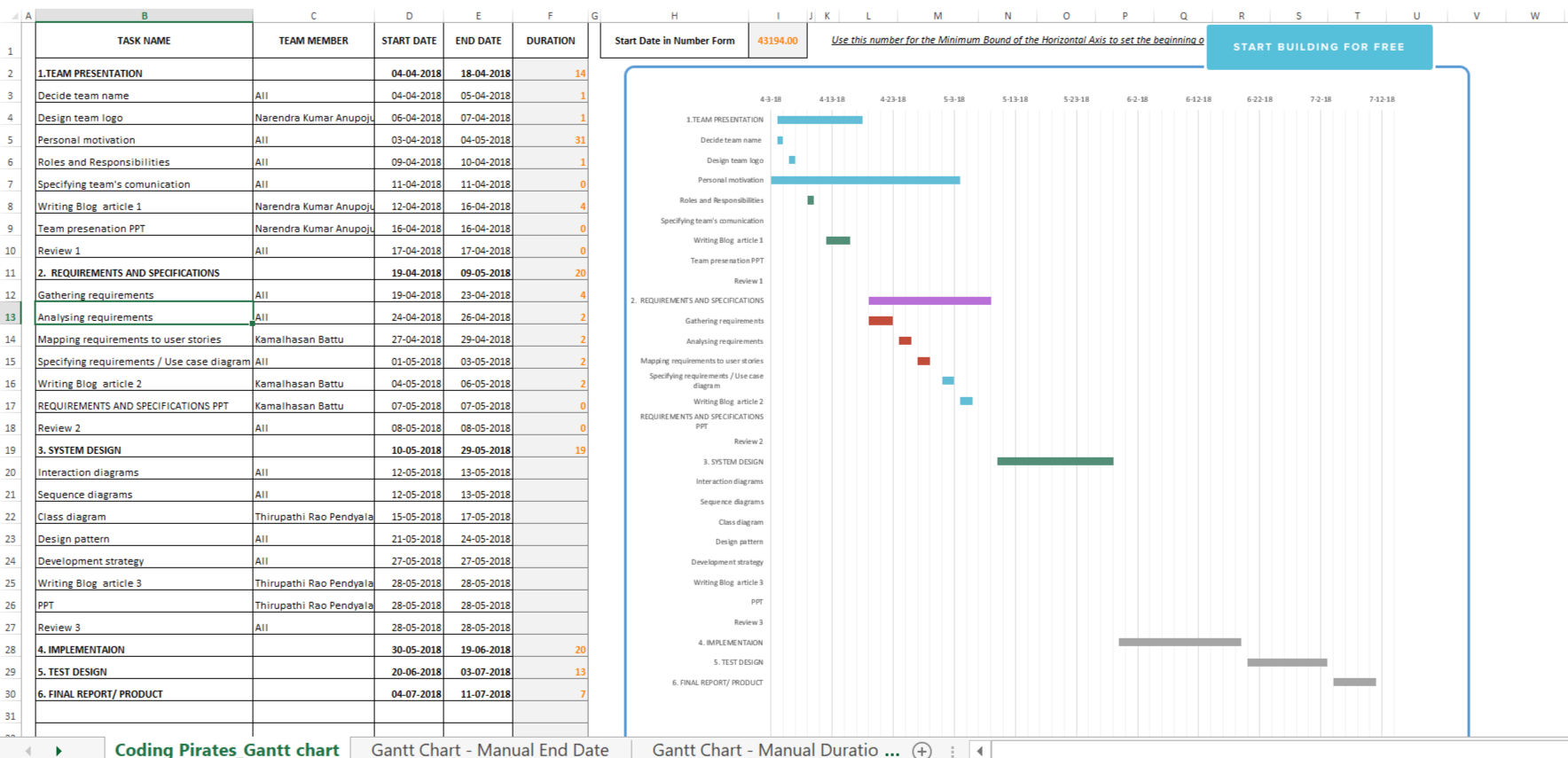
We classified our application features into sprints in iteration method. Each sprint is assigned to a member with certain duration. However, as mentioned in the roles and responsibilities section, we switch tasks among members based on possibilities. The each and every developed task from group members approaches customer to check whether it reaches his requirement or not. Since using Gantt chart, we track our progress as follows;
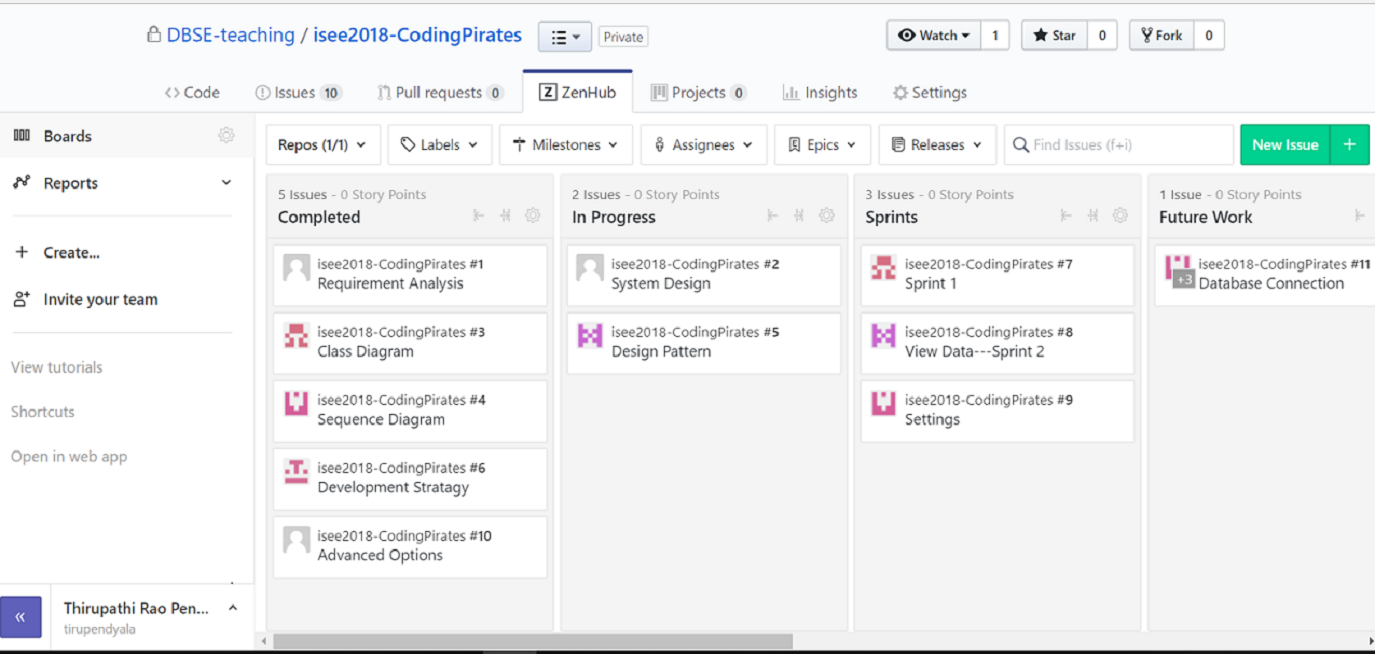
The whole process is monitored in number of ways where each person in the team is make sure that they completes their own task and also
monitors the whole team performance.To keep track of all our activities and individual work we are using ZENHUB and GANTT CHART. Where
we have created modules for our project as you can see below.
Summary of Changes:
We have been trying to include all the requirements given by customer as we have shown in the Requirement Analysis. But, initially we
have thought the “link to more info” which open a Wiki or Google page is in “Advanced Options”
Ex: https://en.wikipedia.org.
But later customer suggested us to keep it in View Data including the bird name in the search bar.
Ex: https://en.wikipedia.org/wiki/nameofbird.
Author
Thirupathi Rao Pendyala