Welcome! We are Team Gappmakers and this is our third blog. After presenting through Requirement Analysis in our previous Blog, we will now present our work on System Design Phase.
Overview
We will be elaborating on following points in our blog:
- Interaction Diagram
- Class Diagram
- Design Pattern
- Development Strategy
- Summary of Changes
Interaction Diagram is one kind of Behaviourial Diagram, which is used to display how the different elements in the model are Interacting with each other to give a required result. Moreover, they help us in understanding the dynamic behaviour of the system.
Sequence diagram for MindPeace on a whole is depicted in Fig. 1 which is a type of Interaction Diagram.
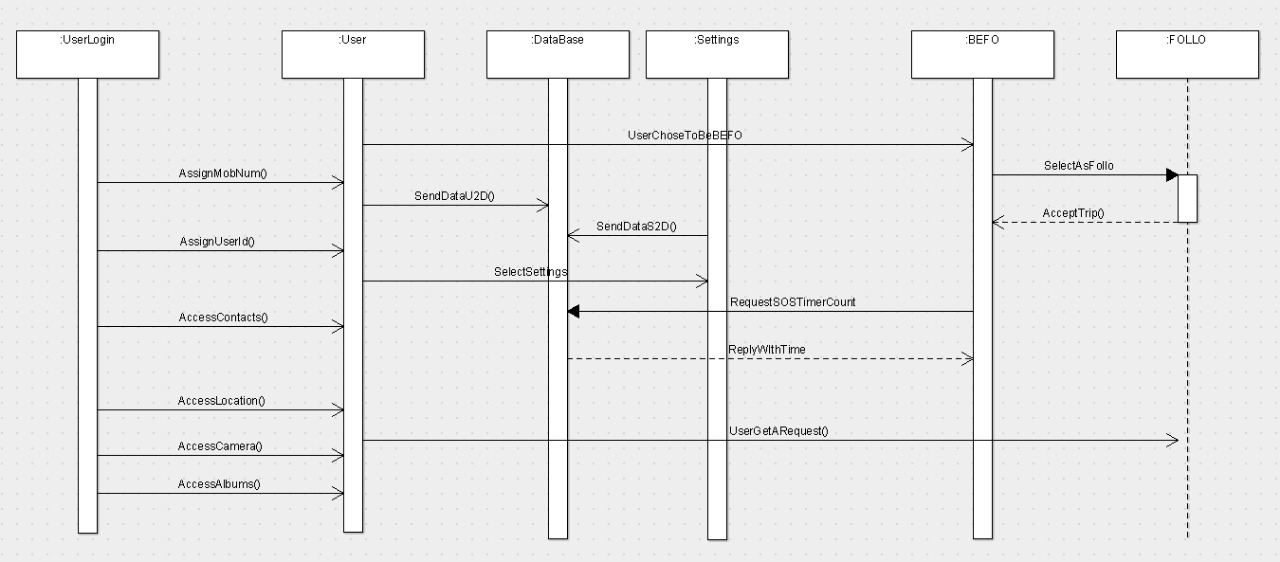
The Basic Sequence Diagram has 6 Objects namely UserLogin, User, Database, Settings, BEFO and FOLLO. So the process in any application first begins with a user setting up his/herUser Profile for the Application. Therefore, user first creates their account and the System asks for the Mobile No., and access for Contacts, Location etc. and then assigns them a user ID. These data are stored in Database for future references. Uses can select Settings and do various tasks such as select favourite followers, assign default GPS refersh rate etc. BEFO & FOLLO interact with each other in which BEFO can send the Trip request to FOLLO and FOLLO can send the Trip acceptance to BEFO.
We will like to through more light on how the aaplication works with the help of another Sequence Diagram on Trip as shown in Fig. 2.
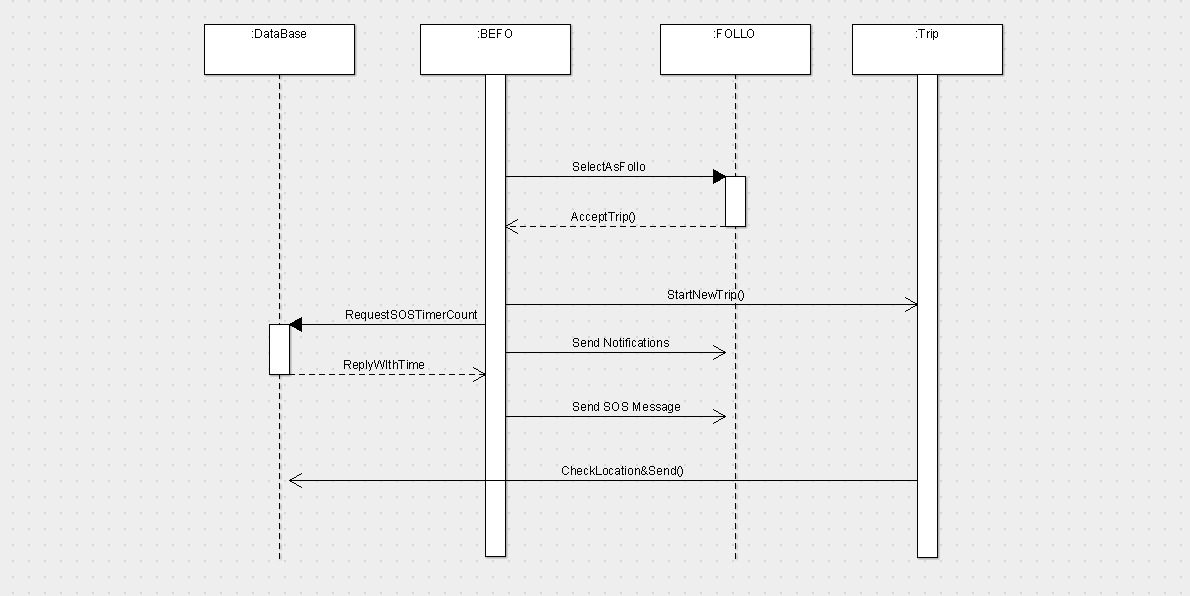
Trip Sequence Diagram has 4 Objects namely Database, BEFO, FOLLO and Trip. A BEFO starts a new Trip request which is sent to Trip. Trip checks the Location of the BEFO from Database and returns it. A BEFO can send a Trip Follow Request, his/her Trip Notifications, SOS message etc. to FOLLO.
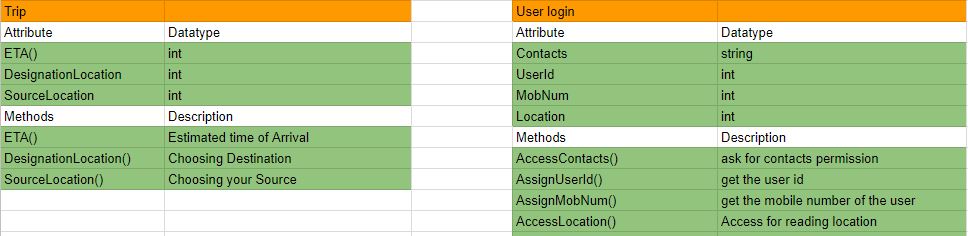
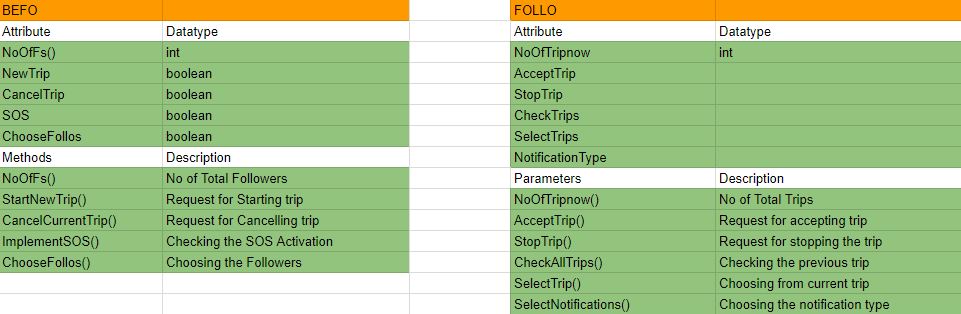
Our Class diagram for the MindPeace application is as shown in Fig. 3.
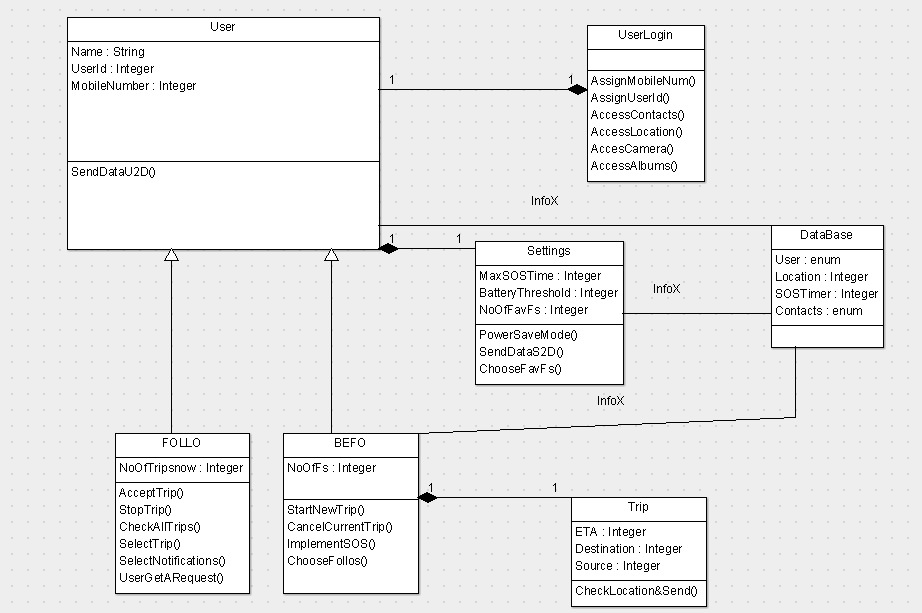
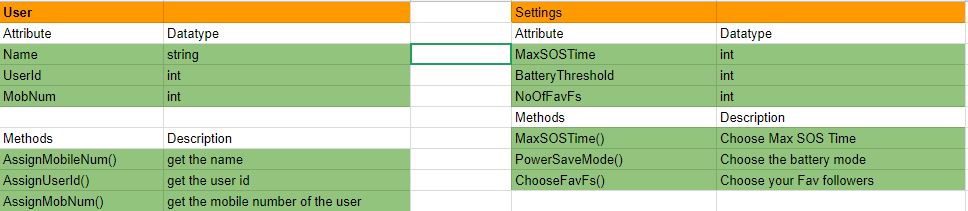
The Class Attributes and Methods of the App are listed down below.
A formal definition for design patterns is, “A design pattern addresses a recurring design problem that arises in specific design situations and presents a solution to it” (Buschmann, et. al. 1996). Therefore, it is a description of a problem of how we can solve it in many different situations.
We are planning to implement Facade Design, Singleton and Observer Pattern in our Implementation stage for MindPeace. Facade and Singleton Pattern can be used together as Facade objects are often required to be existing alone. More about these patterns are explained below.
1) Facade Pattern:
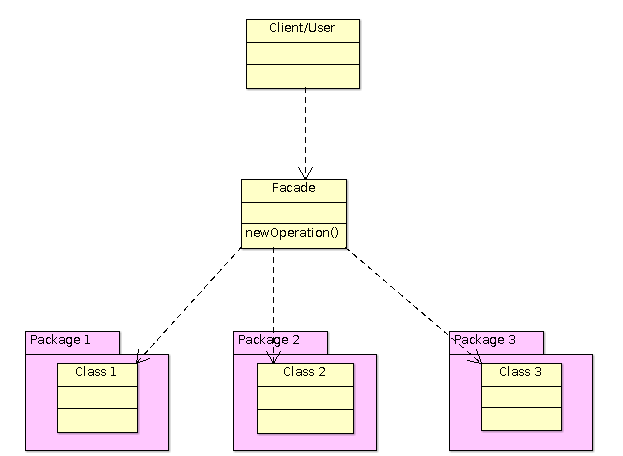
Facade is a type of Structural Pattern which is used for identifying simple relationships between the entities. The Facade pattern enables the developer to decrease the complexity for user by introducing a Facade between the user and the subsytem. This is the reasong for us to choose Facade Design Pattern, so that the BEFO need not have to bother about the internal working of the MindPeace Application and just uses it as a normal user.
Facade System operates like in Fig 3.
2) Singleton Pattern: Singleton is a type of a Creational Design Pattern which ensures that only a single instance of a class exists at a time. We are going to implement the Singleton Pattern for our Trip in which the BEFO can have only trip running at a time.
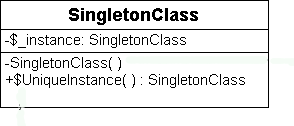
A singleton class has a private constructor (here SingletonClass()), which has empty body. Therefore, no external function can call this private constructor for instantiation. UniqueInstance() checks that if the instance is null or not. If it is null, instantiate it and return the instance.
3) Observer Pattern:
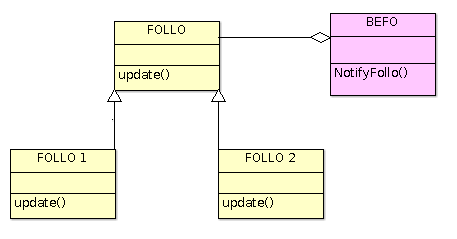
An observer pattern is great to use in case of we need to resolve one to many dependency. Since we will have multiple FOLLOs for a trip for a BEFO, this will be advantageous way to implement the program for us. The way Observer Pattern operates is shown in Fig 6.
We have been using an web service called Trello for managing our tasks. Trello provides us with an interactive Dashboard where we can not only add tasks but also add Descriptions, Priority, % Completion Dates, members, images, comments, notes etc. The screenshot of the Trello dashboard is as follows in Fig.7:
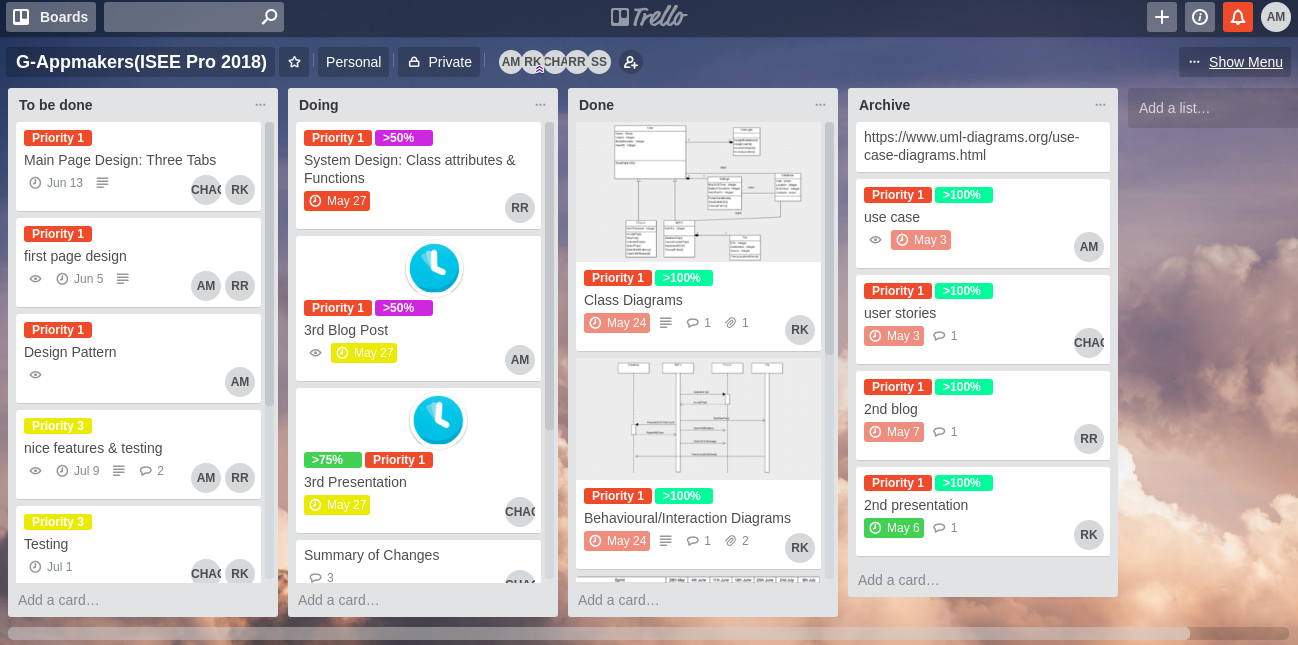
Completion Percentage is what we have introduced as an additional indicator so that we can monitor the task of the team members and push them if they are lagging behind.
We have also planned the project timeline with different tasks in order to meet our deadline. It is as shown in Fig. 8

We are going to further subdivide the task depending on the Methods and classes used in the program in Implementation stage.
Summary of ChangesOne major change that we have right now is that, though our customer mentioned the usage of Camera in the app, we forgot to add it to our requirements, but now we have and also added the additional albums feature to the list.
Upcoming Blog
In the upcoming blog, we will show you more about our Implementation Works for the Applicaiton wherein we will expalin about our Application working and User Inerface.
We thank you so much for your read and support.
Please stay tuned for our upcoming blogs.
-Team G-APPMAKERS