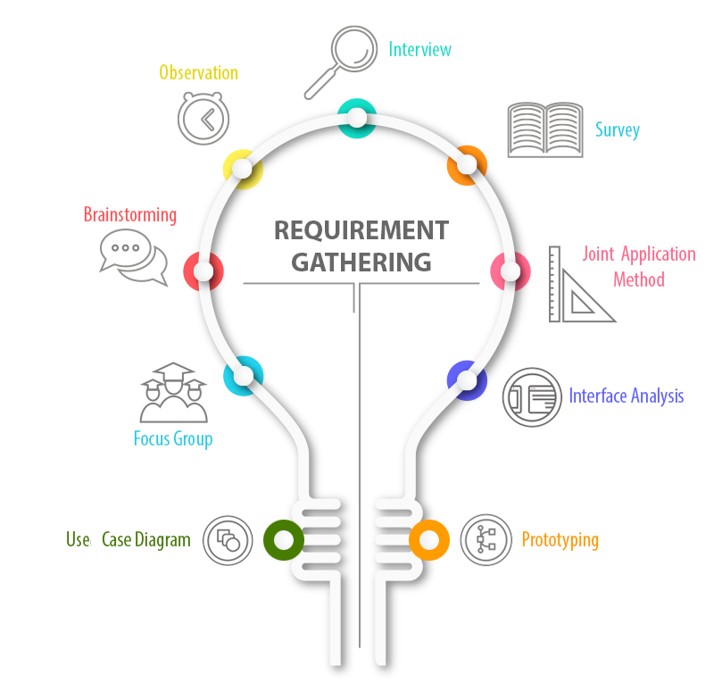
How did we gather the customer requirements?
We had regular weekly meetings with our Customer and fetched requirements for our application. Those meetings were held every Wednesdays from 11:00 till 11:30. We enquired him about the requirements to understand his expectations of the application. This familiarized us with the system specifications and their priorities. On top of the customer requirements, our team brain-stormed over the inputs and came up with additional integral features.
How did we analyse the customer requirements?
Analysing the customer requirements was a Herculean task by itself. We were well aware that it is the foundation that keeps any building stand strong. Development of an application or any project for that matter, likewise, initially demands a transparent idea of the requirements and expectations of the customer for whom we build it. It took us over a fortnight to analyse the requirements and segregate them into the Essential and Nice to Have features. We strongly believe having taken a long while would help us in mimimizing reworks in the later stages of our project.
… Essential features are the key features strictly mentioned by the Customer. Meeting these requirements is more or less like developing the entire application.
… Nice to Have features are not explicitly mentioned by the Customer. But adding them ensures more flexibility to the application. We, hence, strongly suggested the Customer to include them as requirements.
How did we identify our wrong assumptions? And well, how did we correct them?
During our initial meetings, many requirements were misunderstood. As how every misinterpretations help in moulding final inferences clearer, our first assumptions (however wrong they were) in turn became our concrete guidelines.
… At first we had a different idea of how to maintain a database. We had thought of maintaining a central repository for the observations. However, we clarified the same with the customer and concluded to store data locally in the host device.
… Customer wanted to freely assign categories and group observations based on his personal preferences. This was clarified only in the second meeting with him until when we thought Observation Categories would align to the base attributes of the bird.
… Entering location of citation of the bird was another concern. We expected that the Customer needs the entry to be made with the help of device GPS, while he actually wanted a manual entry of the location of citation. Nevertheless, it is an improvement point which we plan to work on after the Basic Prototype release.
It took a lot of deliberations to arrive at the User Stories from our Customer’s perspective which is detailed below:
User Stories
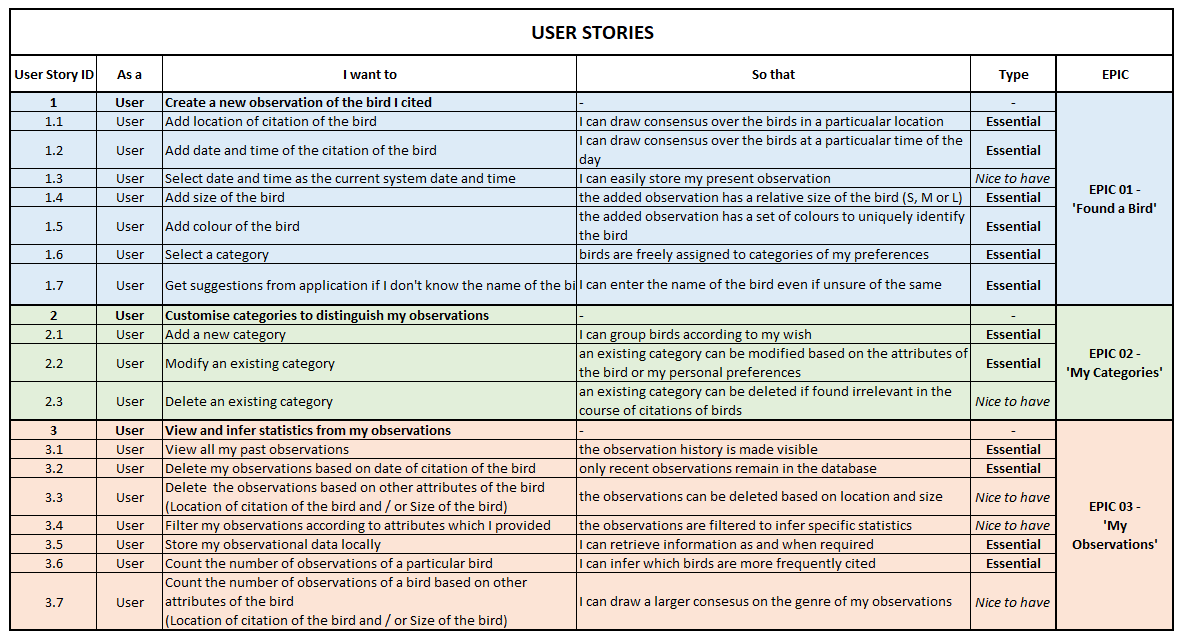
From an exhaustive debate over the requirements and customer expectations, we finally planned to modularize our whole development activity into three major epics.
… EPIC 01 - Implementation of ‘Found a Bird’ Activity
… EPIC 02 - Implementation of ‘My Categories’ Activity
… EPIC 03 - Implementation of ‘My Observations’ Activity
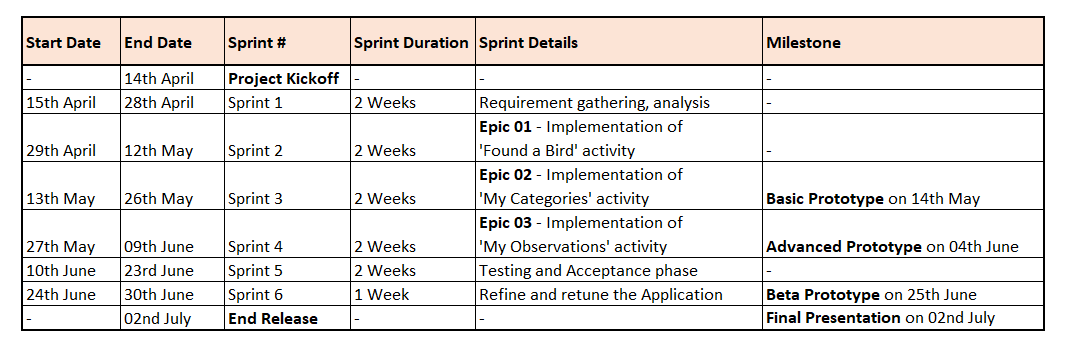
Sprint Planning
The modularization of development activities has thrown light into how to plan the sprints. We plan to finish the development and testing activities in a span of 6 Sprints. Except for the last Sprint, all others spread over 2 weeks. The detailed Sprint Planning is briefed below.
System Design
This section takes you through an overview of the entire application. It describes the structure, design and function of our application. It is explained with the help of relevant Class Diagrams, Use Case Diagrams and Activity Diagrams.
Class Diagrams
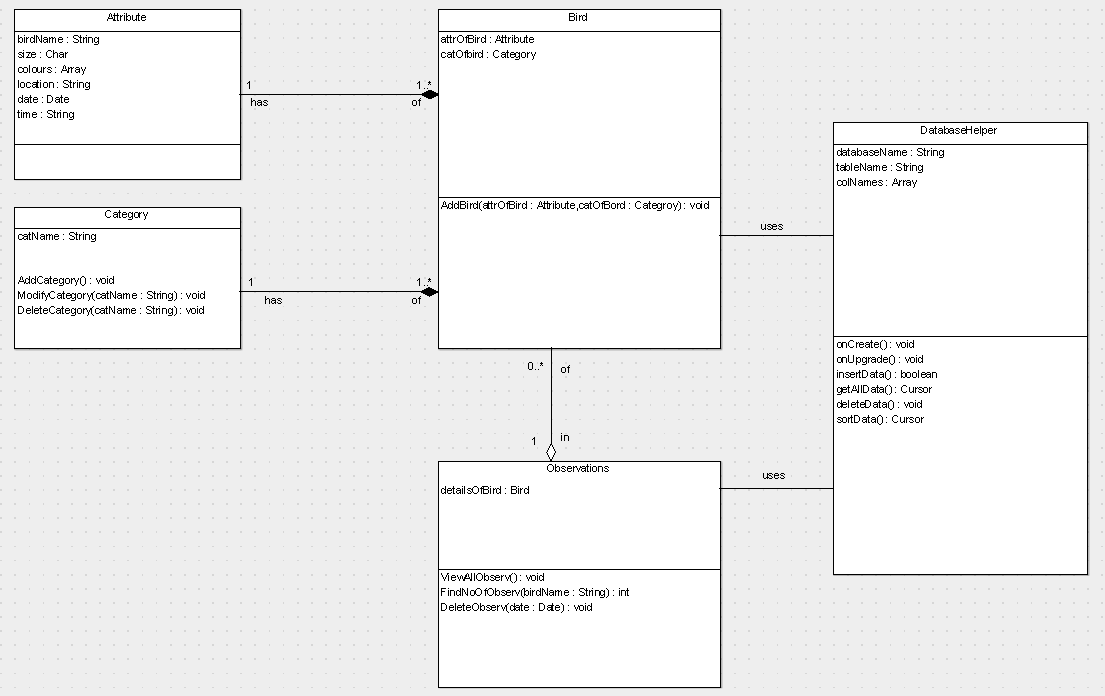
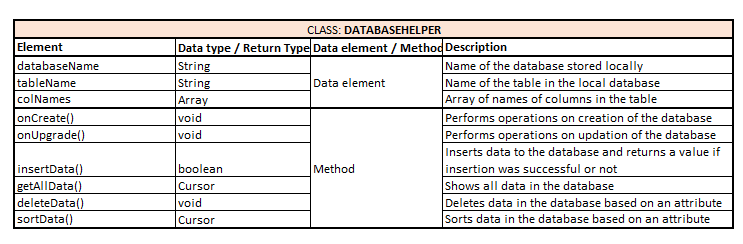
After having all the necessary information, the Class Diagram is created which holds the following classes:
… ATTRIBUTES: This class contains the entire set of attributes that an observation should include as its data elements.
… CATEGORY: This class is specially devoted to enable the user to segregate birds into different groups solely on his personal preferences.
… BIRD: The class Bird inherits entities from ATTRIBUES and CATEGORY class.
… OBSERVATIONS: This class consists of a number of BIRD classes forming a real-world observation table.
… DATABASEHELPER: This class helps to insert, update and perform operations on the observation database.

Use case and Activity Diagrams
In the section below the use case diagrams derived from the user stories are shown followed by the corresponding activity diagram.
… EPIC 01 - Found a Bird:
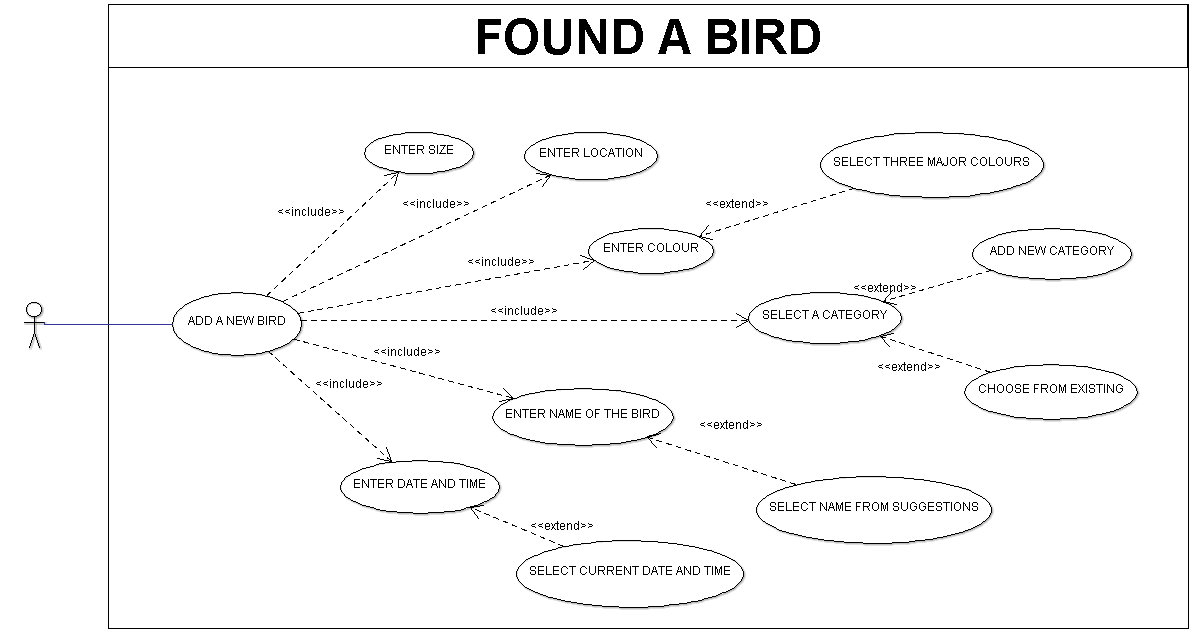
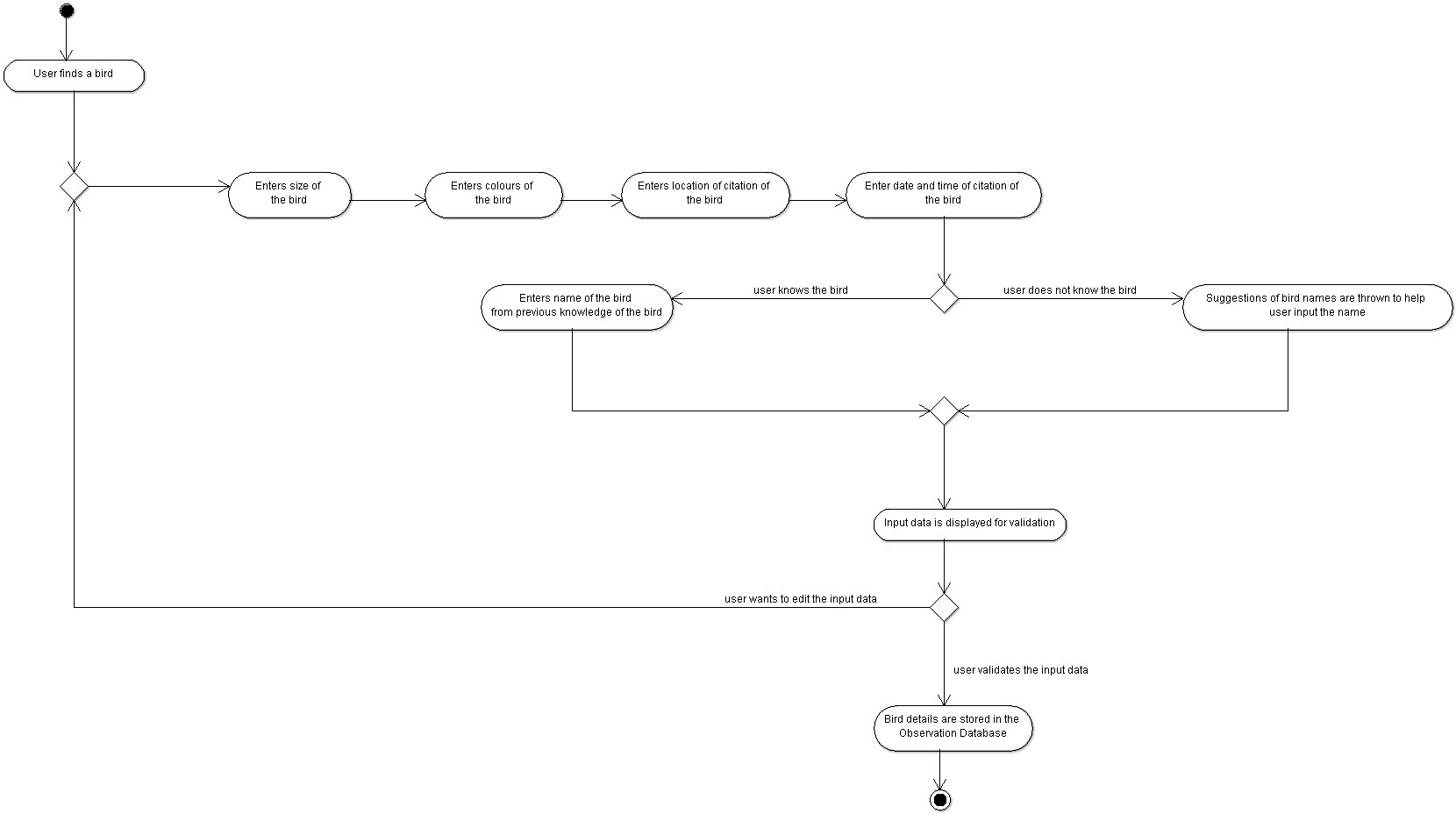
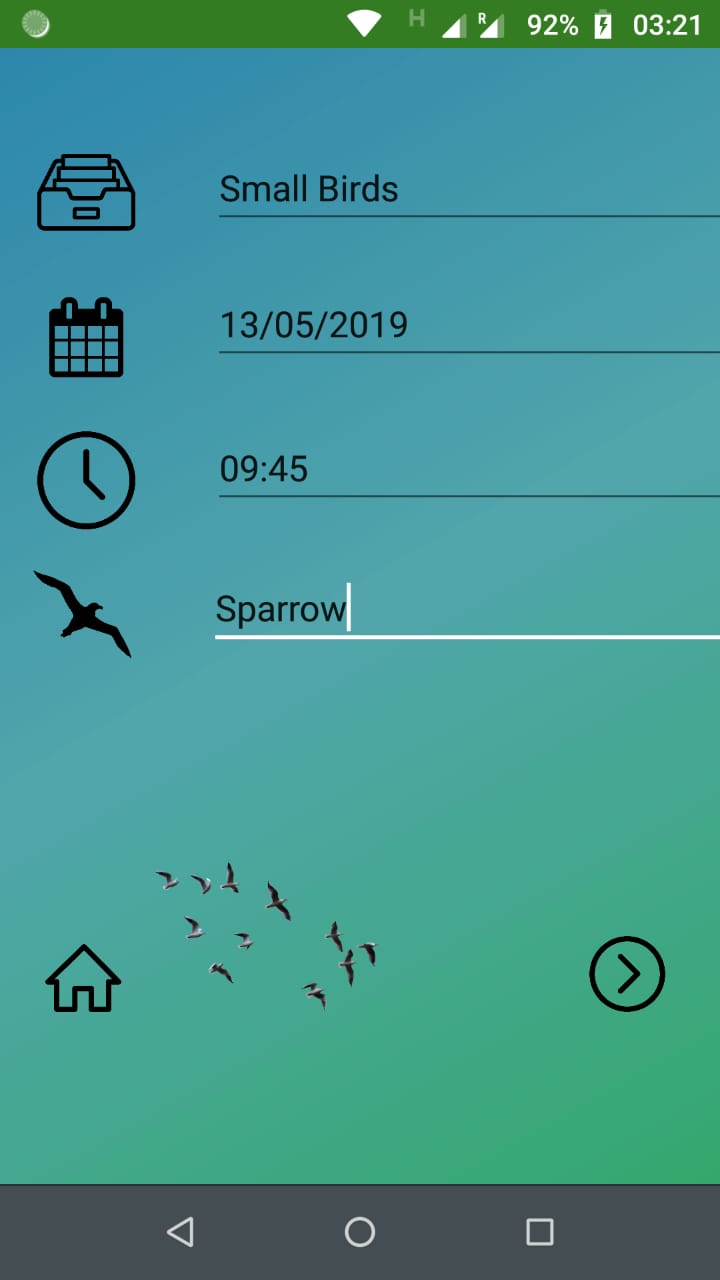
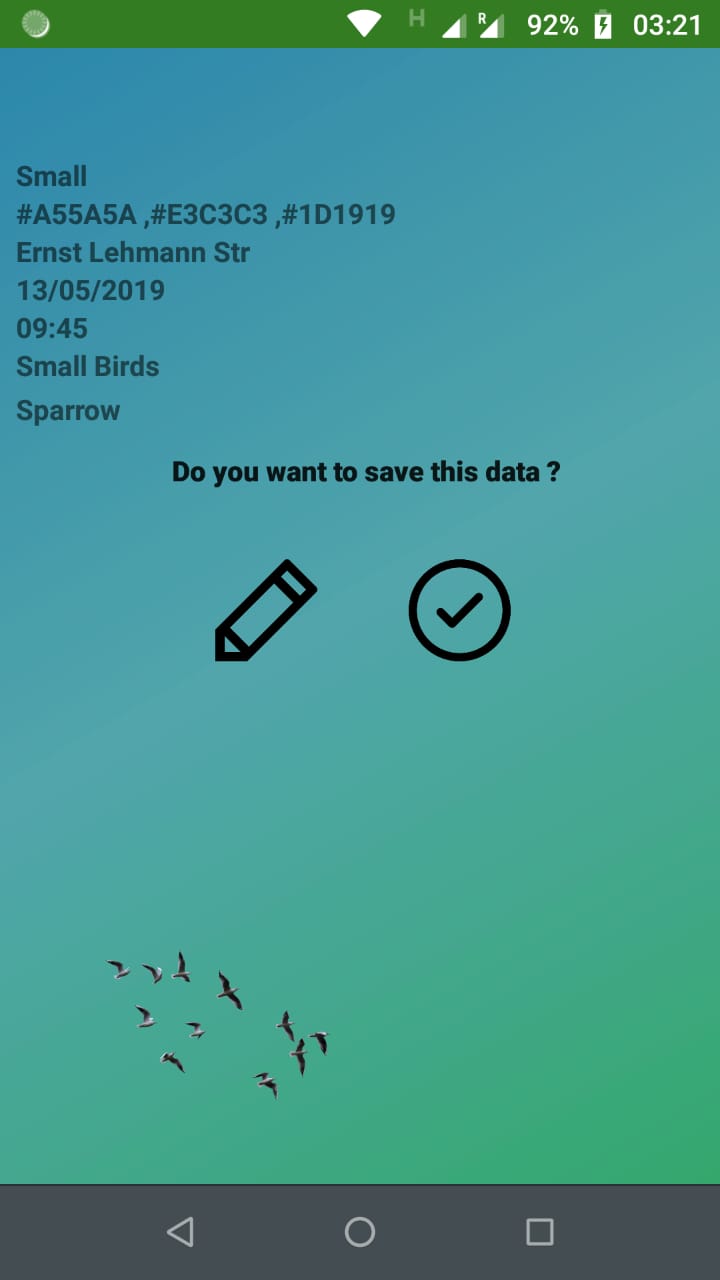
As the user navigates to “Found a bird” the first step in front of him/her would be to Select the size of the bird from the already presented options. Then he/she will be acquired to Enter the colour of the bird. In this platform user will select three colour from a colour palette which he/she found prominent in the bird. After that, user have to enter the Location of the bird citation. In the very next step user will be acquired to enter the Date and Time of bird citation which will take him/her to a point where user enters the Name of the bird. If user does not know the name of the bird, multiple suggestions will be there to select from. After completing till that point, the whole entered data will be presented in front of the user for validation. If some information is not right or user wants to edit the provided information he/she can toggle back to second step (select the size) or user can simply validate the above provided information. The whole information/data will be stored in Data Base which can be accessed easily.
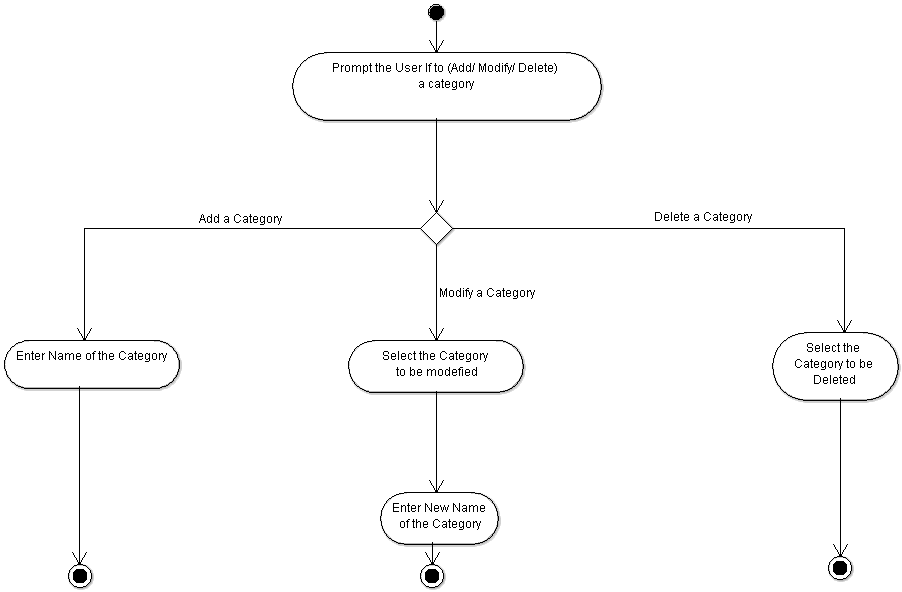
… EPIC 02 - My Categories:
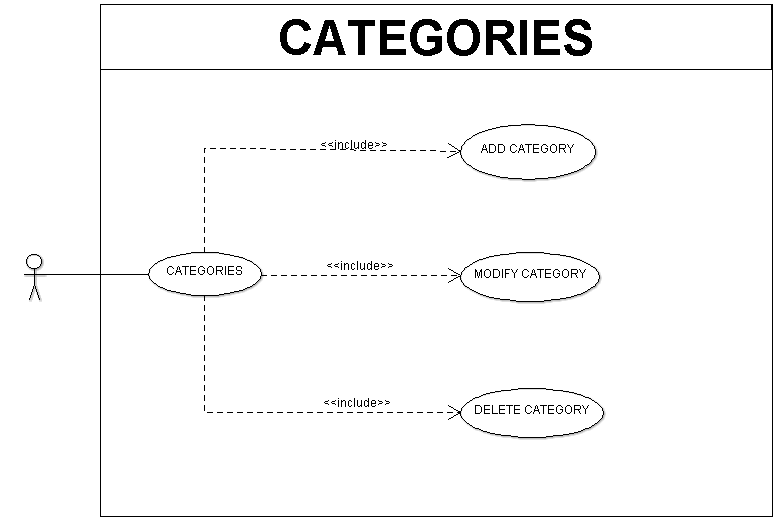
In the category there will be three options for user to select. Which would be Add a category, Modify a Category and Delete a Category respectively.
Upon navigating to “Add category”, a user will be able to add a new category according to his requirement. And if user select “Modify a Category”, he/she will be acquired to select a category from the screen and in next step user will be able to enter new name for the category. Apart from that, the option which is “Delete a category” user can simply select which category to be deleted. And once user select the category, that specific category will be deleted from the Data base.
… EPIC 03 - My Observations:
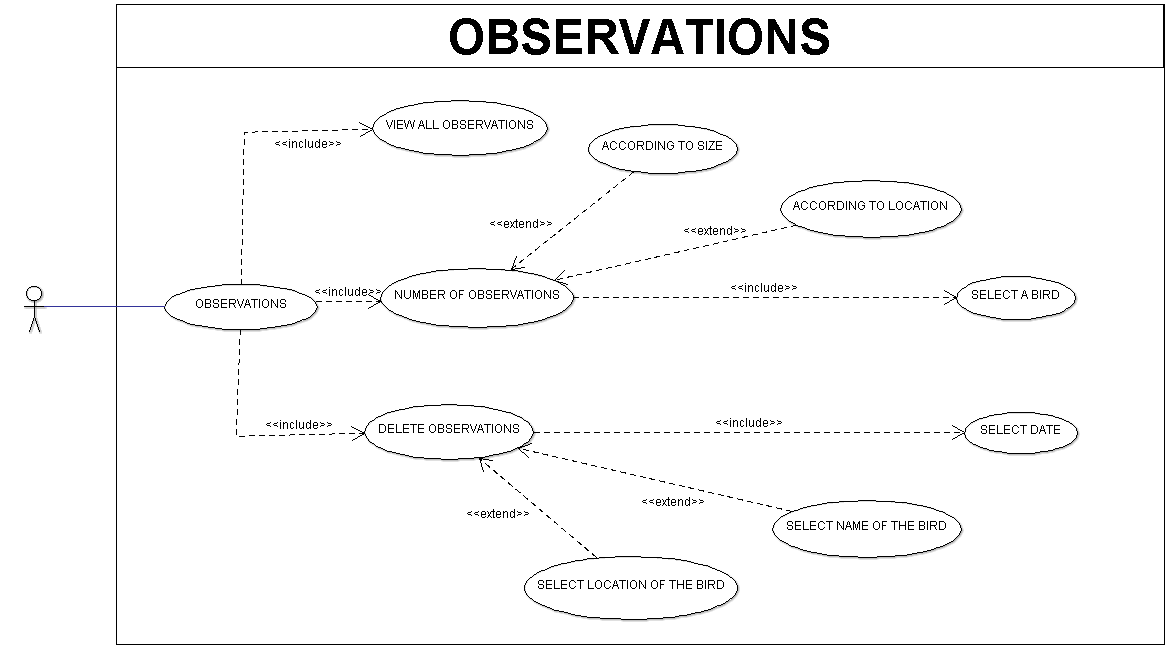
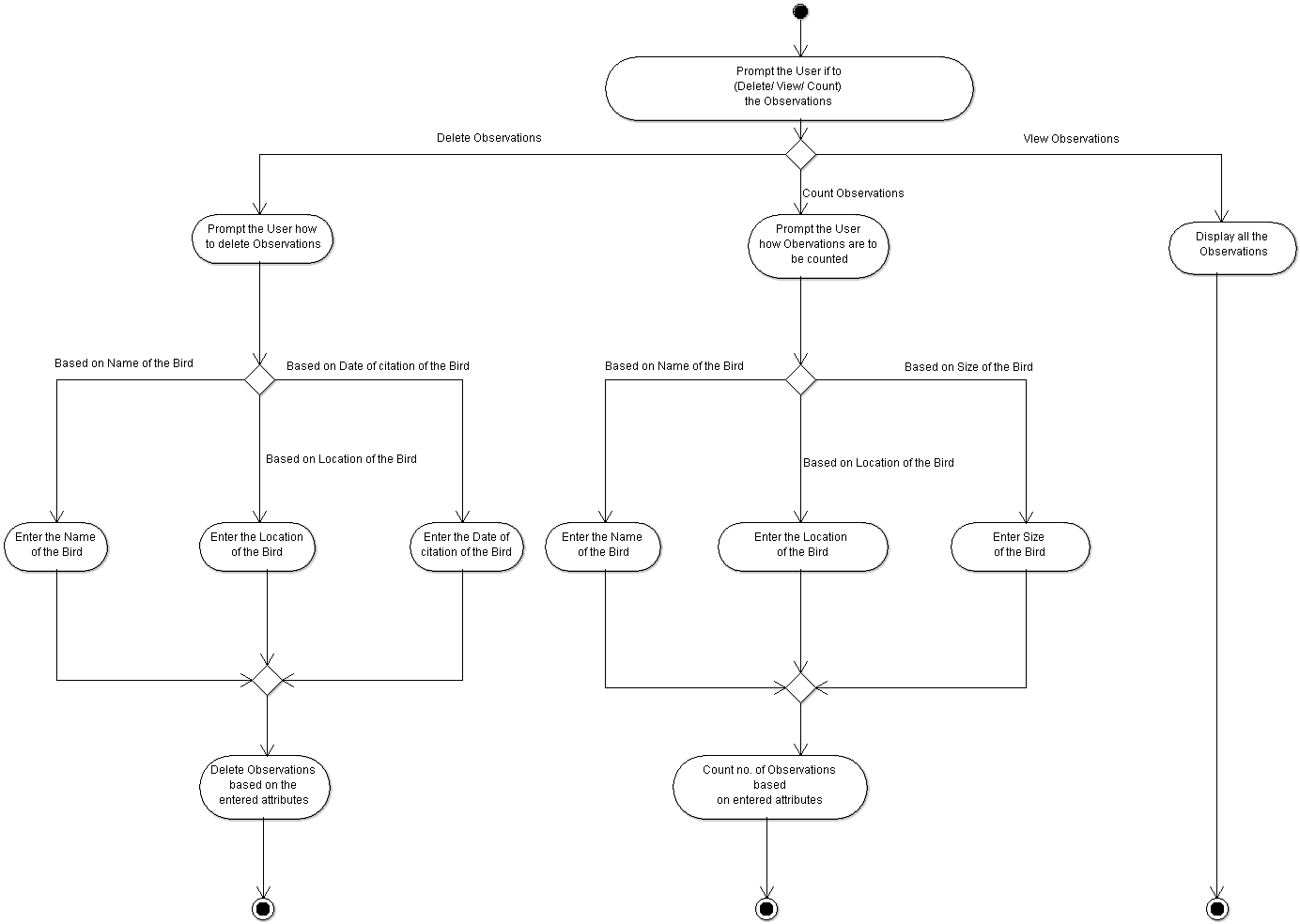
In Observations, user will get three button to deal with: Delete Observations, Count number of Observations and View Observations.
Delete Observations - When user will click on Delete Observations, he/she will be prompted how to delete the observations. To do so user will be acquired to select by which way he/she wants to delete observation. It can be by Bird name, Location of citation or Date of Citation. By clicking on one of these, user will enter either name of the bird, location or Date from which he/she wants to delete the observations. Upon entering the specific information, relevant observations will be deleted.
Count number of Observations - When user will click on “Count Observations”, he/she will be prompted with three options. Either user wants to count according to name or Locations or on the basis of size. Upon selecting one the options. He/she will be asked to enter the name of the bird or location or the size of the bird. After completion, user will be shown the sorted data according to entered information.
View Observations - In this feature, if user clicks on “view observations”, the whole observations which were stored previously will be displayed in front of him/her.
Project Dashboard
We are currently making use of ZenHub to track the progress of our project. The dashboard is set and it looks like the below, as we cross the Sprint 2. It helps us to keep track of the Epics and Subsidiaries planned and also give us a clear idea of which all we have delivered. Backlogs from Sprints are also kept a track of.

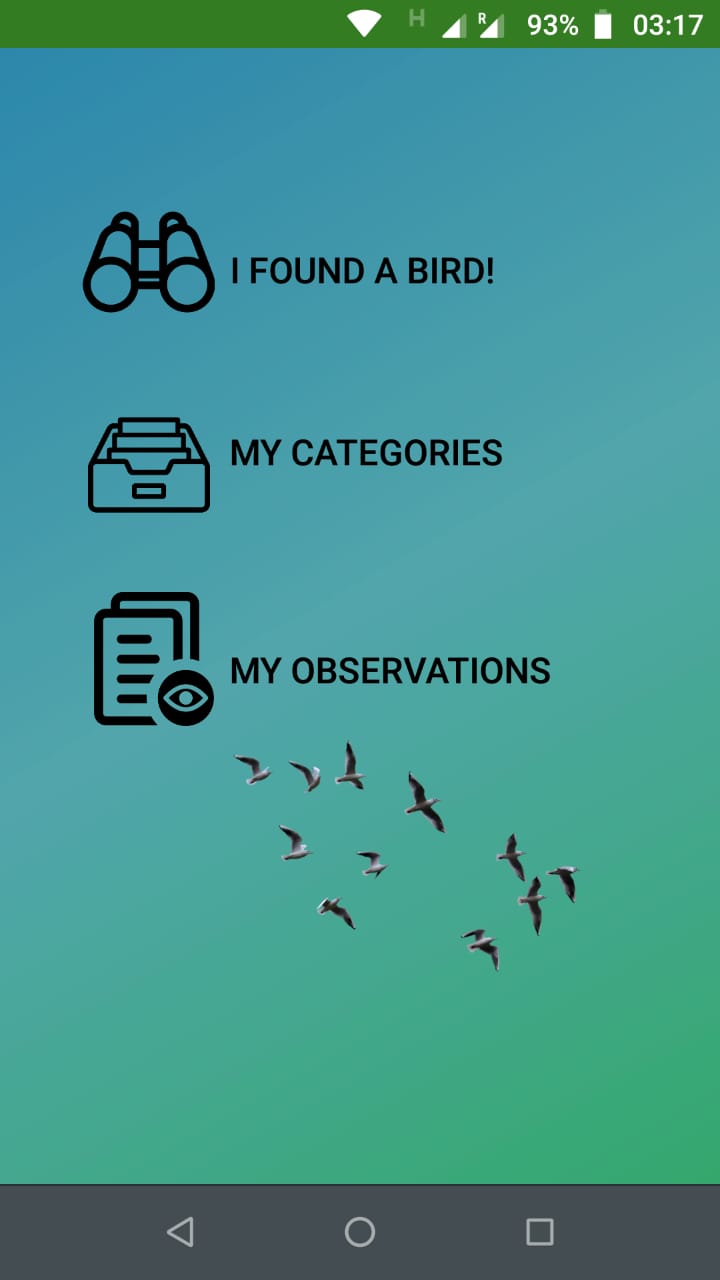
And hurray, here we have the basic Prototype of DroidSutra Bird Tracking App V1.0.0
The screenshots from Basic Prototype of our Application shown below:


So that’s a wrap for this time. Until next time, Cheers!
Mit freundlichen Grüßen,
– Team DroidSutra