Analysing User Requirements and Defining and Creating User Stories, Use Case Diagrams & Class Diagrams:
The first and foremost milestone for us after defining team responsibilites is to get a clear idea on what features an user would like to see in our application. For this, we have had formal meetings with our customer in understanding his requirements.
What User needs?
We arrived at a conclusion about what user needs after our first and second meetup.
Customer meet up:
We did some homework on the questions to present to our user in understanding his requirements and after a quality discussion we outlined the customer requirements and came up with user requirments story and use case that will enable us serve the customer better.
our draft from the first two meetings would give you an idea on the user stories we defined.
-
Basic flow of the application, screen by screen - We finalised with our customer on how he wants the application to look from screen to screen.
-
Use contacts or any other mechanism to identify which friends are using the same application - We have come to a conclusion to use the contacts list and send it to the server and iterate through that list and identify customers who are using same application.
-
Figure out how to differentiate tracking option in google maps API (eg. walking or driving) - Customer wants this application to incorporate maps to support walking scenario.
-
How to provide options to the user to select who to follow - User will have a feature to accept or deny request subsequently he could select his exclusive follower list.
-
Restriction of Maps info for Followers on screen - Follower screen will not have the maps API but only textual information like insa for the route of the follower.
-
Journey split up into number of parts to recalculate journey time - Whole Journey will be divided into fixed number of parts and the follower will get a notification after every milestone.
-
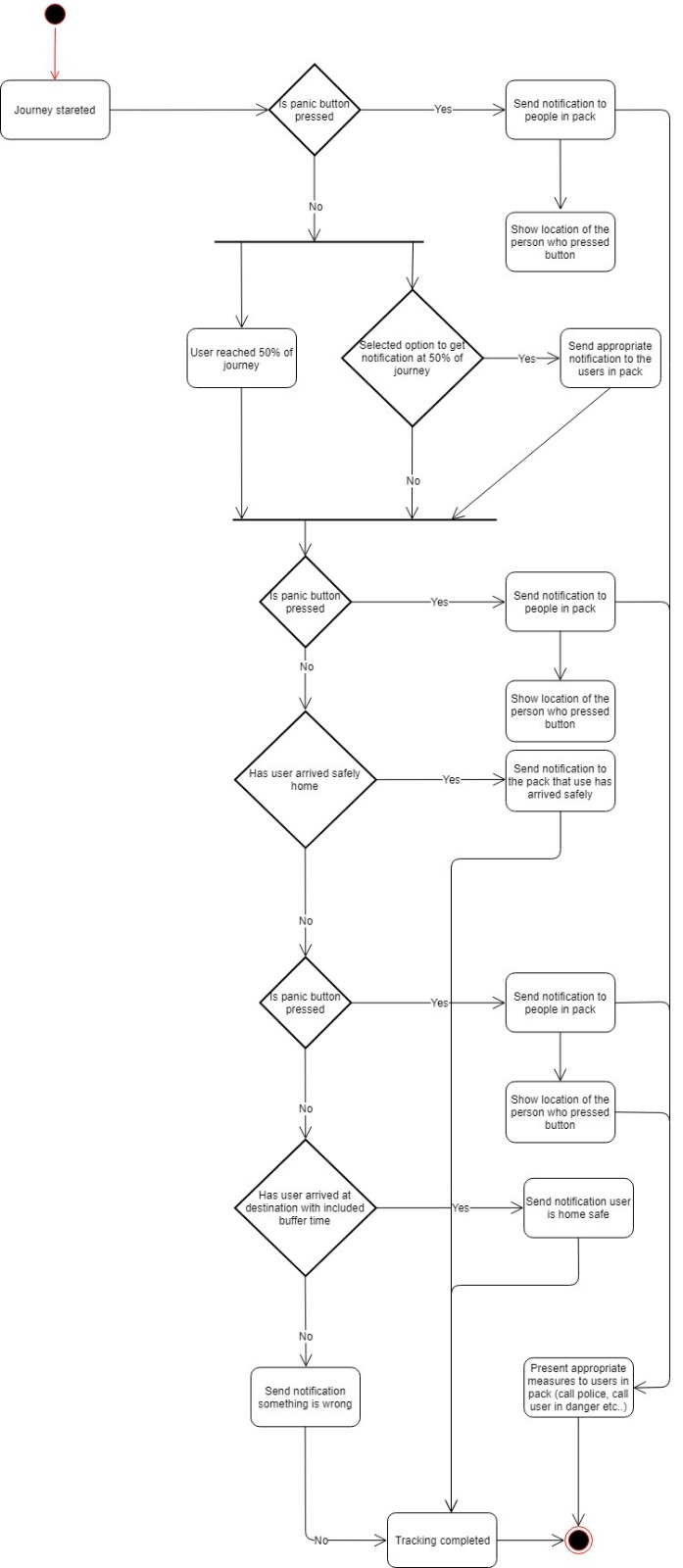
SOS Emergency button - This feature would enable a Followee to send a panic notification to the followers in case of any mishap.
Outcome of our Requirement analysis:
User Stories:
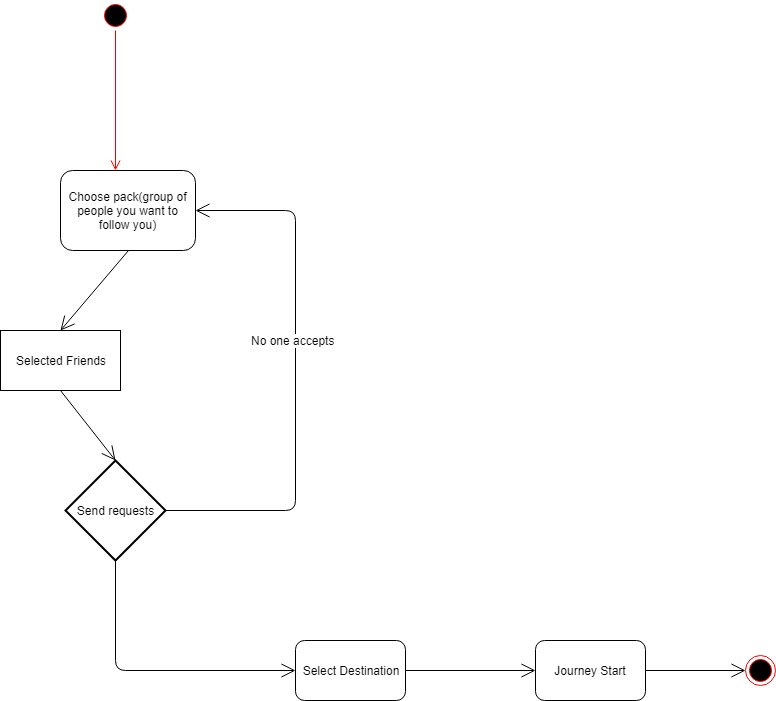
I want to pick who can follow me
Users decides who will be permitted to trace him and get notifications of his position. The followers need to also use this app, then users send a following request and followers accept or reject.
I want to be able to stop following someone
Users is able to cancel the tracking of the follower at any time. He needs to give confirmation that he is certain that he is no longer interested in following.
I do not want to be followed anymore
When users reach their destination, then the following steps and followers receive a notification. And users can also cancel the following at any point of the journey, then the followers will also get a notification with this cancellation.
I want to be updated on the status of the followee
Users can specify if he wants to receive the update notification from the followee, or only when receive the notification that he has arrived his destination. Users need to specify whether he wants to give information to the followers during the journey.
I need a Panic button
Users can select (when signing up this app) whoever he wants to have as emergency contacts. When he presses the panic button, these emergency contacts will be notified along with followers.
Followers will be shown the lost position when the followee pressed the panic button. Moreover, the followers are be able to launch to a call or text to contact followee, or even can call the emergency secures.
I want to know if my friend is taking too long to get home or is not moving for a while.
Followers get a notification if followee hasn’t arrived home in the planned journey (Time > planned journey time + buffer time). Also, for the situation of the followee has not moved for 5 mins.
I want to follow more than one friend at the same time.
Users can follow max. 10 persons at the same time.
Use case diagram & Class Diagram
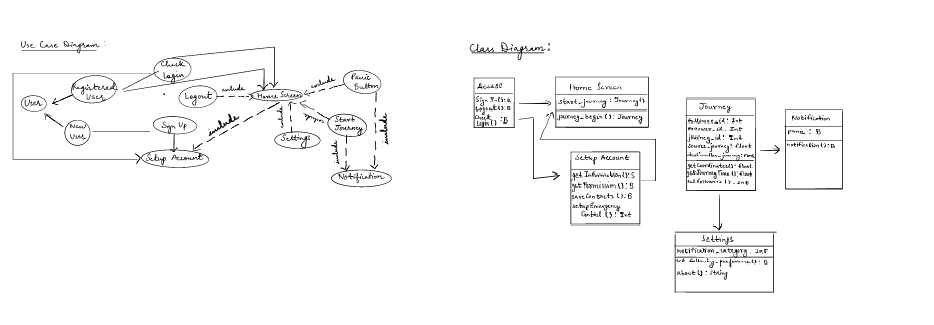
Class Description:
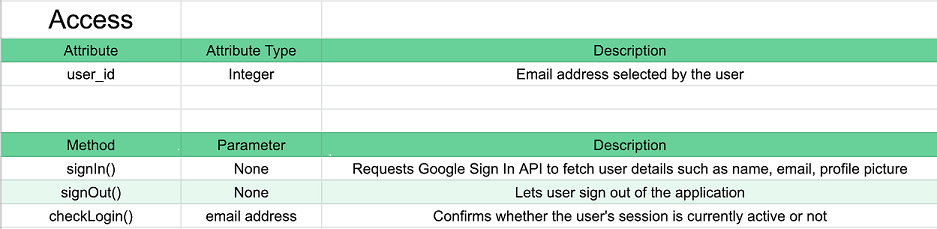

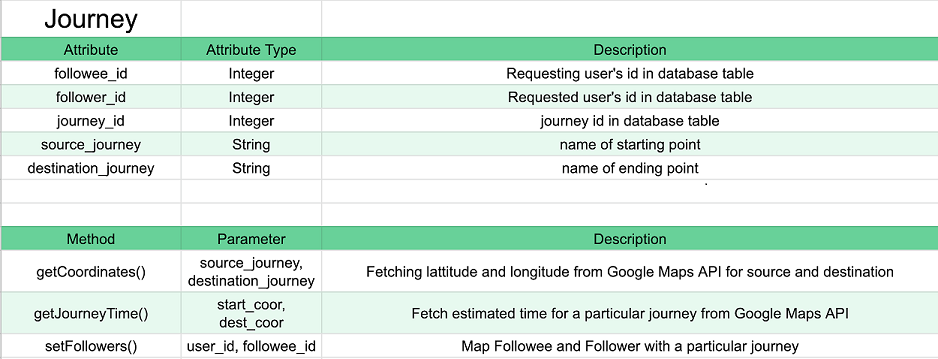


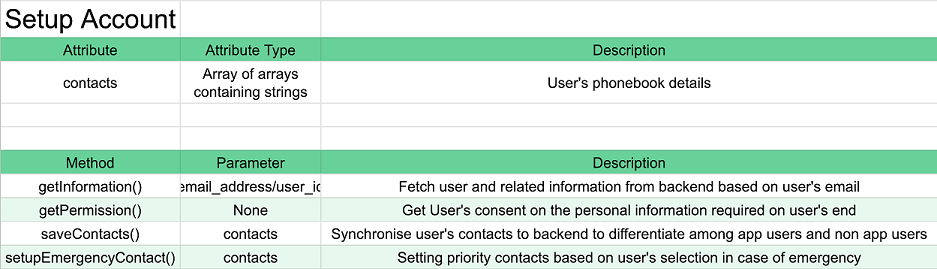
Activity Diagrams:
Development Strategy:
For proper management of our work and progress , we stay in communication with each other on WhatsApp and have at least a weekly meeting, if it is required we meet more than once. Since, we started to code last week, we have decided to dedicate a full day to coding which we decide during our weekly meet on the basis of everyone’s availability. Apart from this we have a weekly meeting with our customer where we discuss our current progress and factor in any changed requirements into our plans.
Every team member has some kind of work experience and it helps us to function properly as a team. We know how to work in teams and how to maximise the efficiency of each team mate without getting diverted from the desired direction. This helped us the first time we sat down to code the application and we are sure that it will definitely be helpful in the coming code sprints our team is going to have.
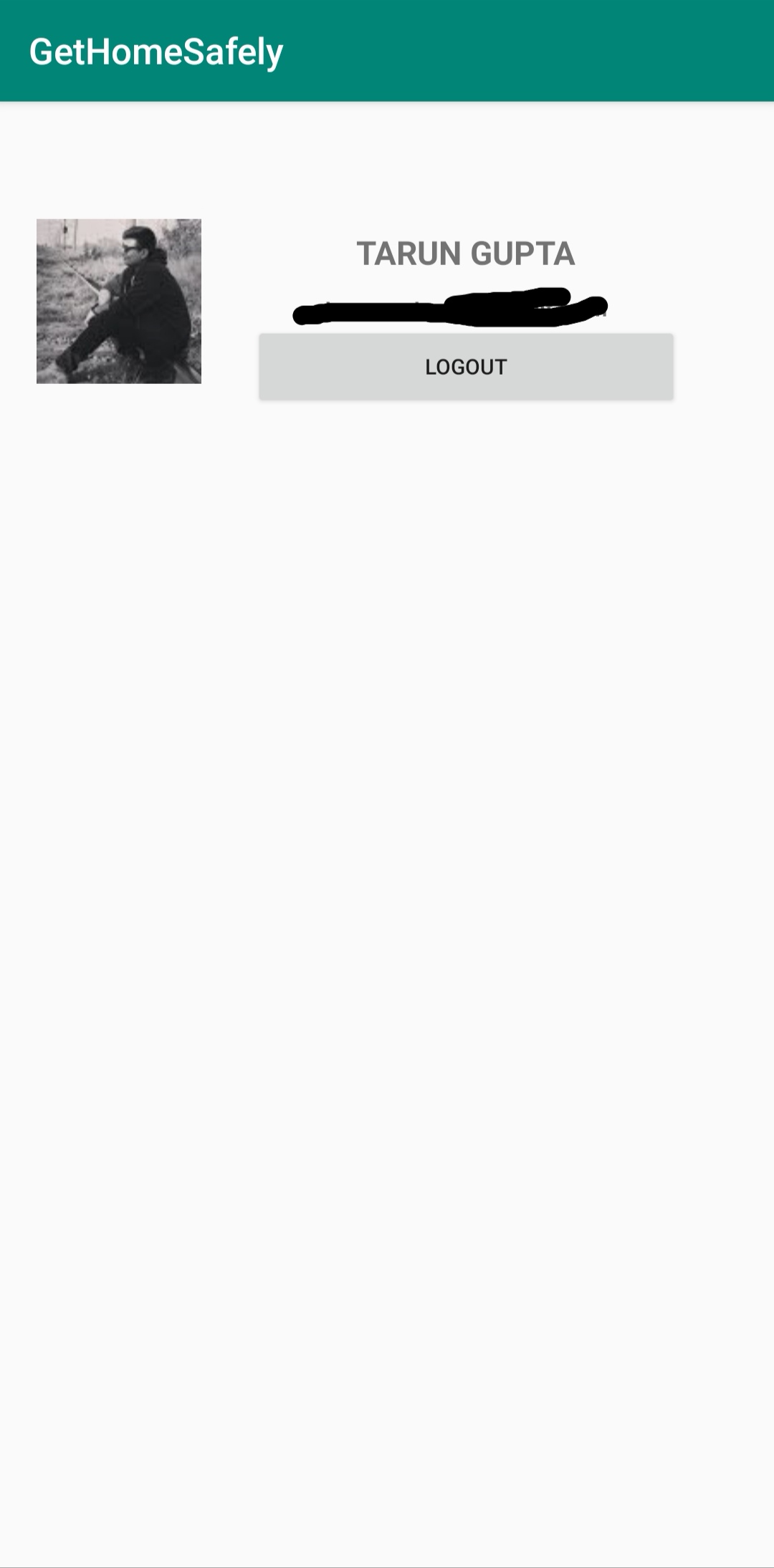
Application Screenshots:
 |
 |
 |